Business Central Manufacturing and Distribution: Enhanced Planning Pack and Its Integrated Apps
Planning and operations teams who work in Microsoft Dynamics 365 Business Central Manufacturing and Distribution environments often spread their planning effort across multiple pages. Forecasting sits in one area, historical usage in another, vendor insights somewhere else, and BOM or routing information on entirely different screens. When teams need timely answers about what to buy, what to produce, and how much to stock, this scattered process slows decision-making.
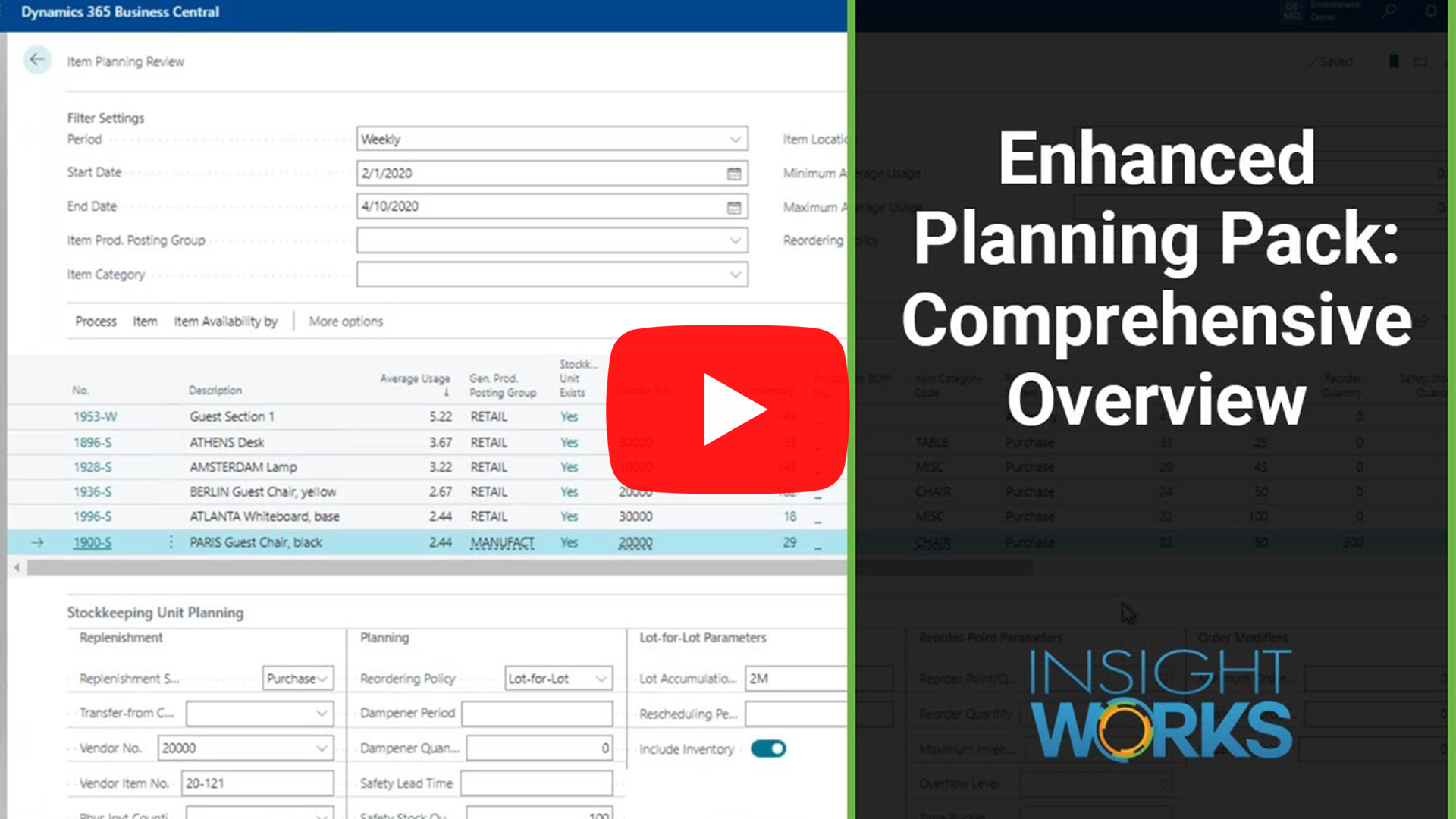
The Enhanced Planning Pack app from Insight Works changes this workflow. It introduces a set of integrated planning apps that strengthen forecasting, inventory review, replenishment planning, BOM evaluation, and routing analysis—all within the Business Central environment.
Why This Matters Operationally
Planning decisions depend on reliable, connected information. When teams do not have a consolidated view, they face problems such as:
- forecasts that cannot easily guide replenishment,
- planning parameters that drift away from actual usage,
- difficulty evaluating vendor purchasing thresholds,
- late discovery of BOM shortages,
- uncertainty about routing accuracy and production performance.
The Enhanced Planning Pack reduces these issues by unifying planning tasks and removing the need to jump through layers of navigation or external spreadsheets.
How Business Central Behaves Natively
Business Central includes many planning capabilities, but it presents them in separate modules:
- The forecasting chart offers insight but does not provide a workflow for acting on results.
- The Planning Worksheet triggers suggestions, but distribution scenarios often generate unnecessary messages.
- Item cards and SKU cards hold planning parameters, but teams must open them individually for review.
- BOM pages do not offer an intuitive multi-level view.
- Routing pages display expected times but offer no built-in analysis against actual results.
Teams must therefore build much of their own context when evaluating replenishment or production needs.
Where Challenges Begin
Common challenges arise when teams attempt to coordinate planning activity:
- Forecasts stay disconnected from planning decisions, leaving teams to interpret numbers manually.
- Reorder points and safety stock lose alignment with real usage patterns because updates require repetitive review.
- Vendor considerations remain outside the system, especially when minimum prepaids or spending thresholds influence purchase timing.
- BOM structures hide complexity, making component shortages harder to identify early.
- Routing accuracy cannot be validated easily, which affects costing and schedule reliability.
Each challenge adds time and increases risk in the planning workflow.
How the Enhanced Planning Pack Helps
The Enhanced Planning Pack delivers five focused apps that strengthen different parts of the planning lifecycle. Each app contributes a practical capability that helps teams work more efficiently.
1. Enhanced Forecasting Worksheet: Turn Forecast Data into Planning Action
The Enhanced Forecasting Worksheet enables teams to generate forecasts through Microsoft’s Azure AI and immediately evaluate the results. The worksheet shows forecast quantities alongside calculated planning values such as safety stock, reorder point, maximum inventory, and reorder quantity. Teams define the formulas that shape these calculations, giving them direct control over how Business Central interprets forecast behavior.
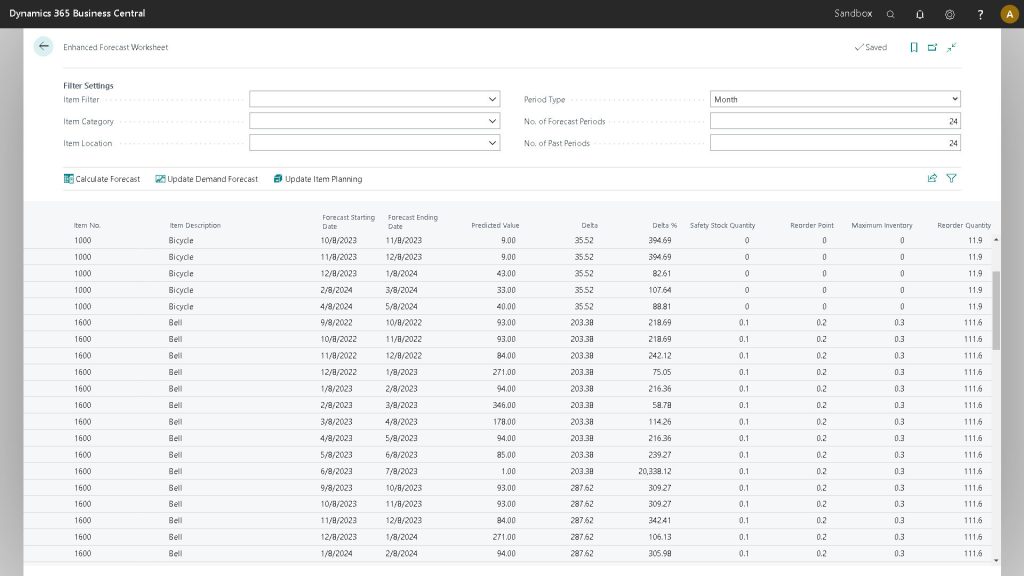
Teams can publish forecast results to Business Central’s demand forecast or apply calculated parameters directly to items and SKUs. This workflow creates a direct link between forecast insight and replenishment planning.
2. Item Planning Review: Align Planning Parameters with Actual Usage
The Item Planning Review tool gives teams a consolidated view of historical usage, expected consumption, and current planning parameters. This page calculates average usage for a chosen period and presents a clear comparison against existing settings.
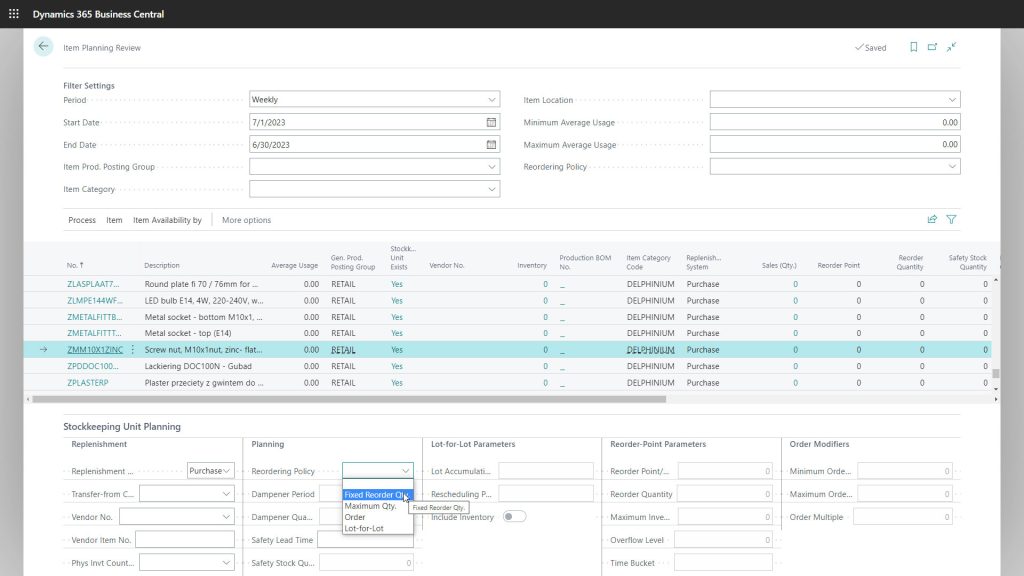
Teams can review whether planning parameters reflect reality and update those parameters directly without opening individual item or SKU cards. This process keeps replenishment logic accurate and responsive to changing demand patterns.
3. Enhanced Planning Worksheet: Review Demand and Plan Replenishment in One Place
The Enhanced Planning Worksheet serves as the central planning workspace. It consolidates demand, planning suggestions, vendor-based insights, history, and availability into a single view. Teams can evaluate supply and demand, review usage patterns, and adjust planning parameters without leaving the page.
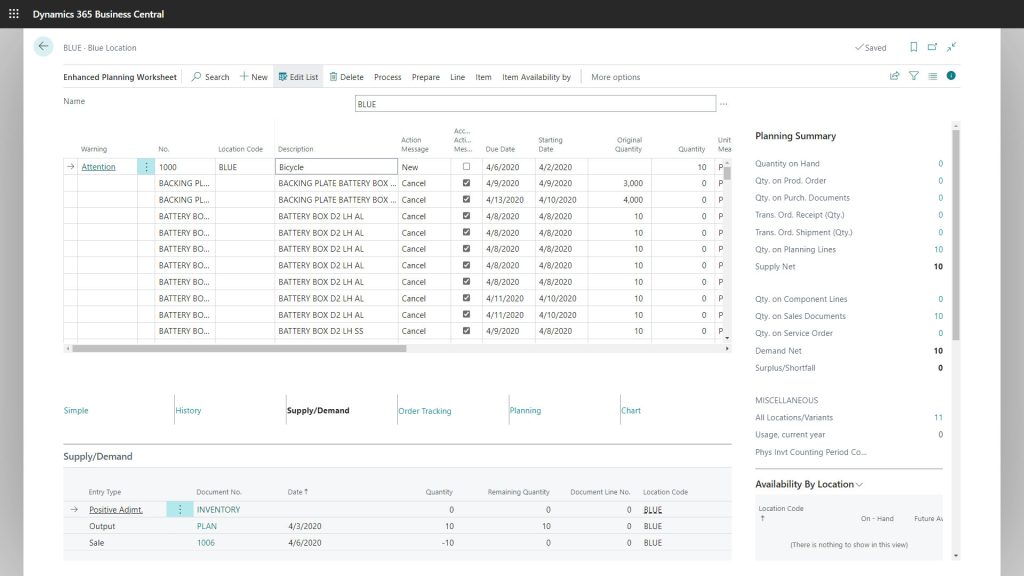
The worksheet supports fast purchase plan calculations and reduces planning noise in distribution environments. When teams complete their review, they can generate purchase orders directly through the worksheet, ensuring a smooth handoff from planning to execution.
4. Multi-Level BOM Viewer: Evaluate Component Requirements Clearly and Quickly
The Multi-Level BOM Viewer presents a hierarchical view of component requirements and availability. Teams can review component demand across all BOM levels, identify shortages early, and assess whether the organization can support a planned production quantity.
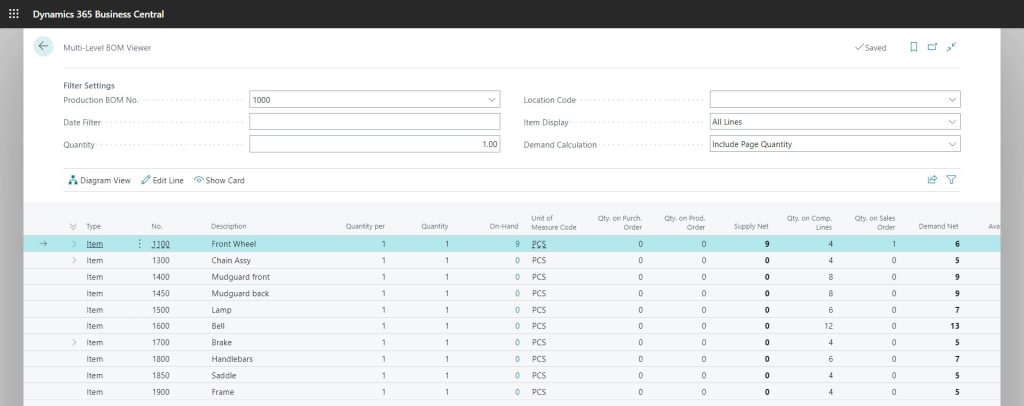
The viewer also enables direct edits to BOM lines, enabling teams to adjust component details or review substitute items without navigating through multiple BOM pages. This capability simplifies engineering review and supports proactive production planning.
5. Routing Analysis: Verify Routing Integrity with Actual Production Data
Routing accuracy influences production cost and scheduling reliability. The Routing Analysis tool compares expected routing times with actual run times recorded on finished production orders. Teams use this data to identify operations that consistently run longer or shorter than expected.
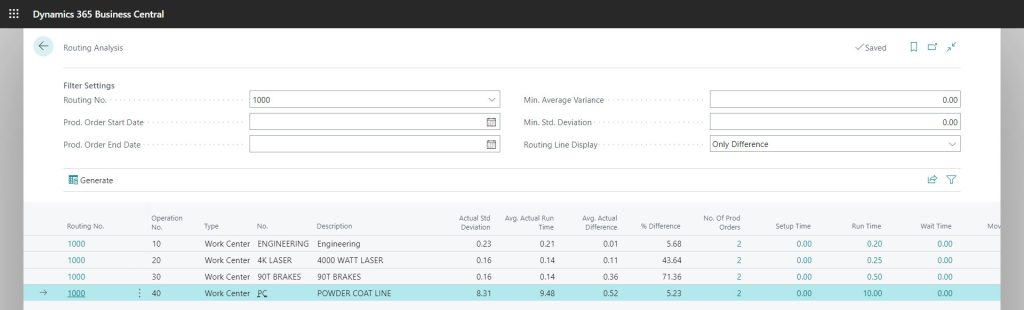
This routing analysis helps teams correct costing assumptions, identify process variability, and improve planning accuracy for future production orders.
Safe Differentiation
Many Business Central add-ons address one piece of the planning process, such as forecasting or BOM management. The Enhanced Planning Pack supports the entire planning lifecycle by combining multiple planning tools into a single environment. This integrated approach helps teams stay within Business Central Manufacturing and Distribution scenarios than relying on external spreadsheets or extensive custom navigation.
Closing Takeaway
Planning and operations teams need connected, reliable information to make effective planning decisions. The Enhanced Planning Pack provides a unified planning workspace that supports forecasting, usage review, replenishment, BOM evaluation, and routing analysis. This set of apps reduces planning friction and helps teams understand what to buy, what to produce, and how to align planning parameters with operational reality.
To learn more about the Enhanced Planning Pack or explore how it works inside your Business Central environment, contact your Microsoft Partner or visit PlanningForDynamics.com.