How to Optimize Production Schedules in Business Central with a Single Click
Manual production scheduling in Microsoft Dynamics 365 Business Central often results in bottlenecks, delays, and considerable guesswork. Drive manufacturing excellence with automated finite capacity scheduling in Business Central. The MxAPS app from Insight Works replaces reactive firefighting with intelligent, automated decision-making—turning production scheduling into a push-button process.
Instead of juggling complex variables by hand, users generate a fully optimized, capacity-constrained, visual schedule with a single click—directly within Business Central using MxAPS.
Why Manual Scheduling Falls Short
The native production scheduling tools in Business Central assume infinite capacity and typically perform a simple backward schedule based on due dates, resulting in a few critical issues:
- Overloading work centers beyond what’s physically possible.
- No awareness of machine or labor constraints.
- Static prioritization with no flexibility for real-world shifts.
- Manual intervention is required to rearrange jobs or fix scheduling conflicts.
MxAPS: Automated Scheduling That Thinks for You
MxAPS eliminates the need for manual drag-and-drop by automating the entire process using advanced algorithms and deep integration with Business Central. Here’s how the app works:
1. Define Your Production Environment
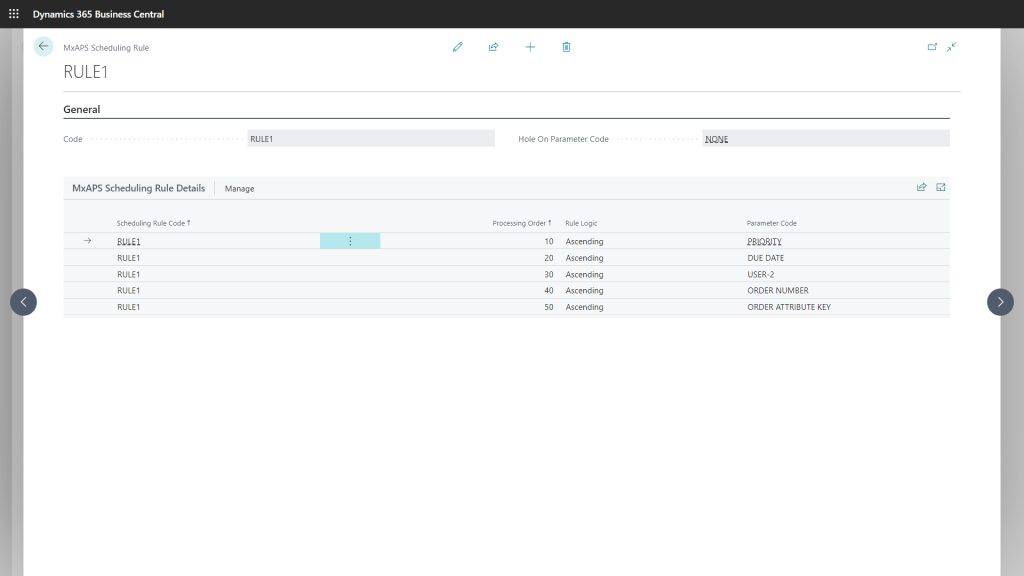
MxAPS models your actual shop floor, including machines, labor, alternative routings, and setup times. You set scheduling rules, segment codes, and resource constraints during the setup process.

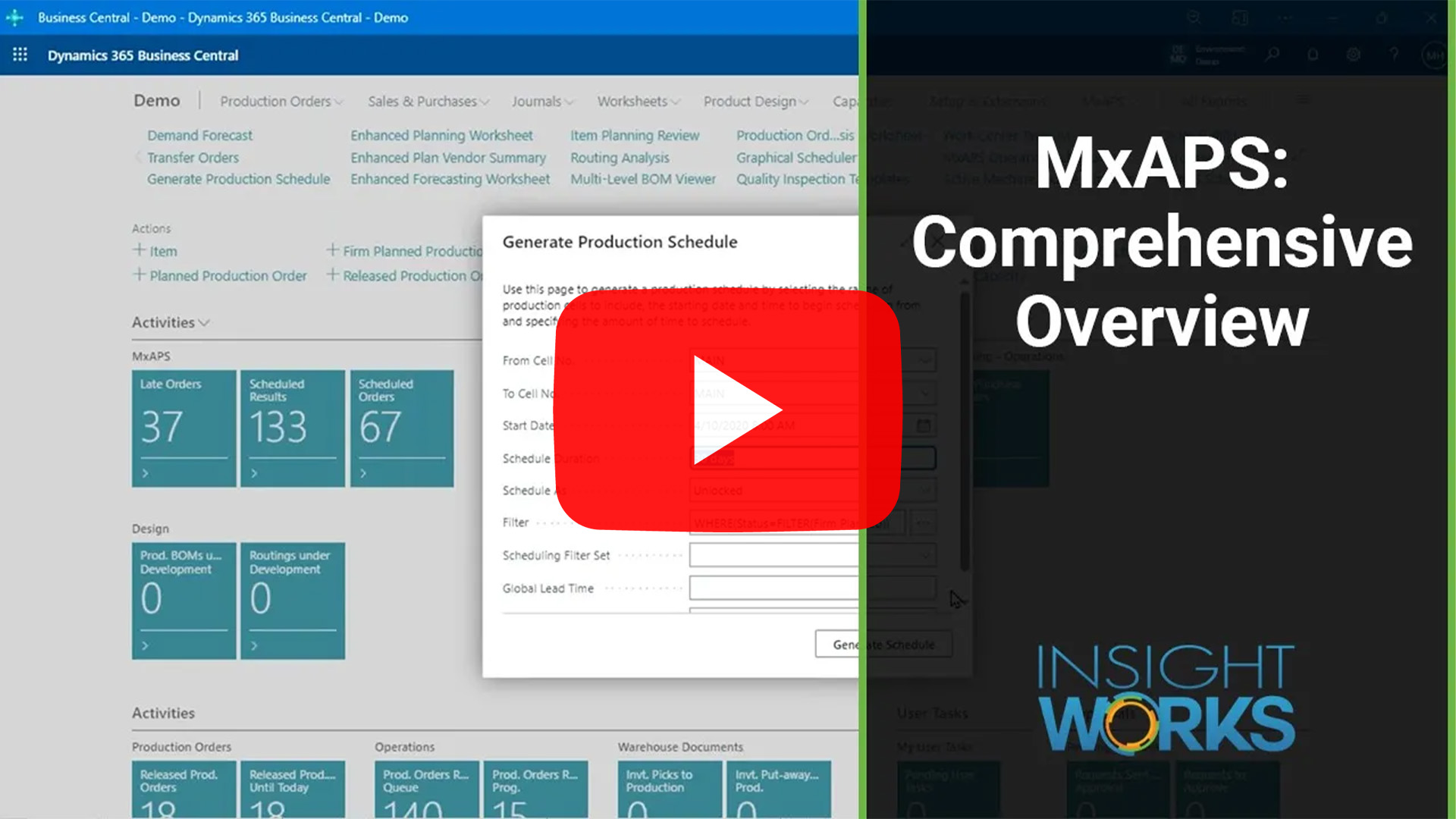
2. Click "Generate Schedule"
From the Generate Production Schedule page, choose your scheduling range, apply optional filters, and click Start. The system calculates the best possible schedule forward from your defined start date, taking into account your constraints, sequencing rules, and real-time data from Dynamics 365 Business Central.
3. Let MxAPS Do the Heavy Lifting
MxAPS intelligently selects machines, sequences jobs to minimize changeovers, balances load across available resources, and even considers labor availability and tooling. This app supports:
- Just-in-time scheduling
- Alternate machines with run/setup multipliers
- Split quantities across machines
- What-if simulations
- Net change scheduling
Visualize and Analyze the Results
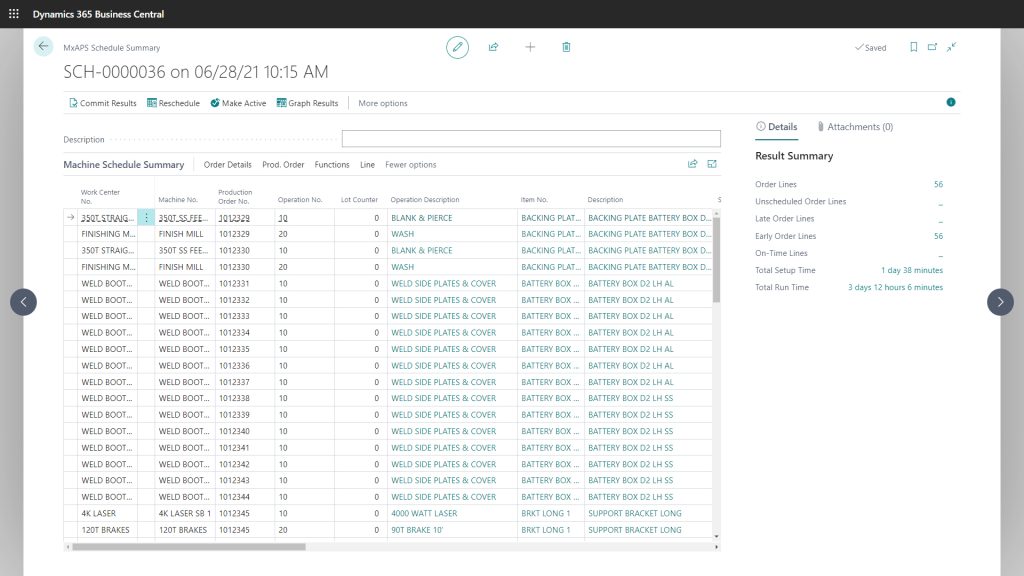
Users review key metrics as soon as the schedule generates, such as:
- Number of on-time, late, and early orders
- Total setup and run time
- Bottleneck analysis and machine utilization
You activate the schedule or commit it to Business Central to automatically update production order routing dates.
Smarter Than Visual Scheduling Alone
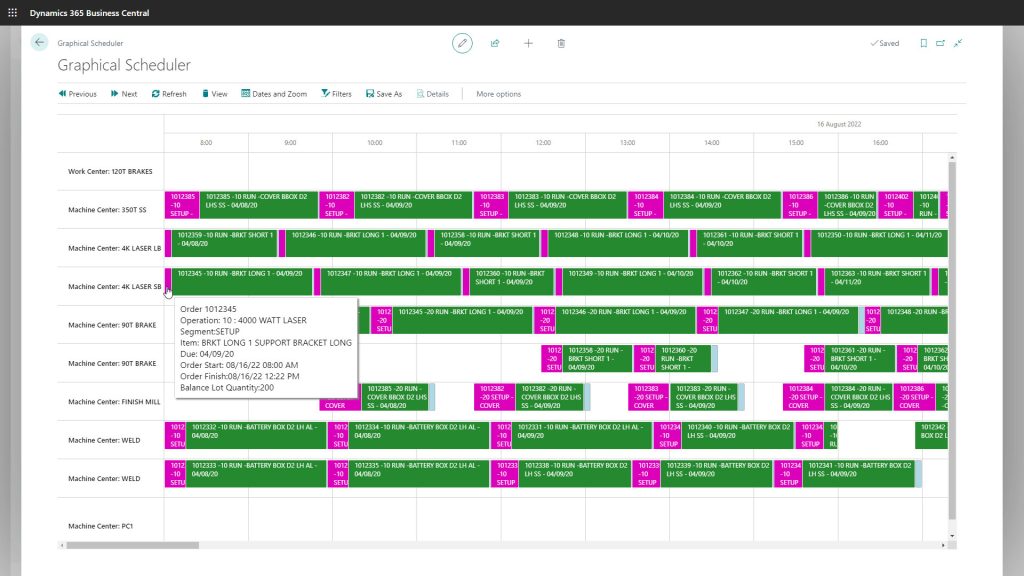
Most visual schedulers offer a static view—helpful in spotting issues but limited when it comes to actually resolving them. MxAPS goes beyond visualization by automating the heavy lifting of production scheduling. This app analyzes your constraints, priorities, and rules to create an optimized plan that’s ready to go—with minimal manual input.
You still get the visual clarity you’d expect from a modern scheduler—but with intelligent logic behind every decision. The interface presents a clean, interactive view of your optimized schedule, enabling you to quickly assess, fine-tune if needed, and move forward with confidence.
Who Benefits?
- Production Planners: No more spreadsheets or tribal knowledge—just intelligent automation.
- Plant Managers: Get a forward-looking view of capacity, constraints, and commitments.
- Warehouse & Operations Leads: Sync material planning, shop floor activity, and order fulfillment.
Final Thoughts
If you’re still manually adjusting your schedule to accommodate jobs, it’s time to level up. MxAPS turns Dynamics 365 Business Central into a powerful production scheduling engine—one that works at the speed of your shop floor.
Forget firefighting. Start optimizing—with a single click.
Optimize your production planning with MxAPS—visit https://SchedulingForDynamics.com/ or connect with your Microsoft Partner to learn more.