The Secret to Reducing Production Bottlenecks with Visual Scheduling in Business Central
When production stalls, it rarely starts with a catastrophic failure. It begins with a delay. A missed overlap. A resource booked twice. And by the time someone notices, it’s already a bottleneck.
That’s why having a visual way to manage production isn’t just helpful—it’s essential. For users of Microsoft Dynamics 365 Business Central, the free Graphical Scheduler from Insight Works provides exactly that: a clear, visual way to see what’s happening on the shop floor—and prevent problems before they begin.
Whether you’re running job shops, batch manufacturing, or make-to-stock operations, the Graphical Scheduler helps you spot conflicts, optimize capacity, and deliver on time.
Listen To The Podcast
The Problem: Schedules That Live in Lists
Business Central is a robust ERP system, but even experienced users will admit that navigating the standard production schedule can feel like reading code. Tabs. Tables. Filters. It’s hard to see where time is double-booked or when a bottleneck is about to form.
What you need is a way to “see” your schedule—to interact with it like a planning whiteboard, not a spreadsheet.
The Solution: Drag-and-Drop Scheduling with Clarity
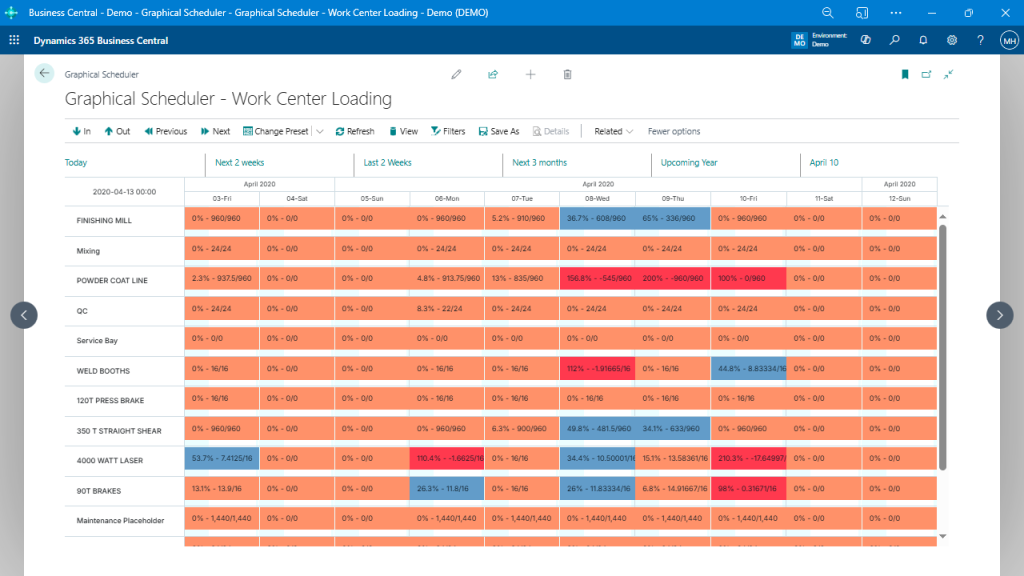
The Graphical Scheduler app transforms Business Central’s production data into an intuitive visual interface. It displays production orders across time against the resources they occupy—whether that’s a work center or a machine center.
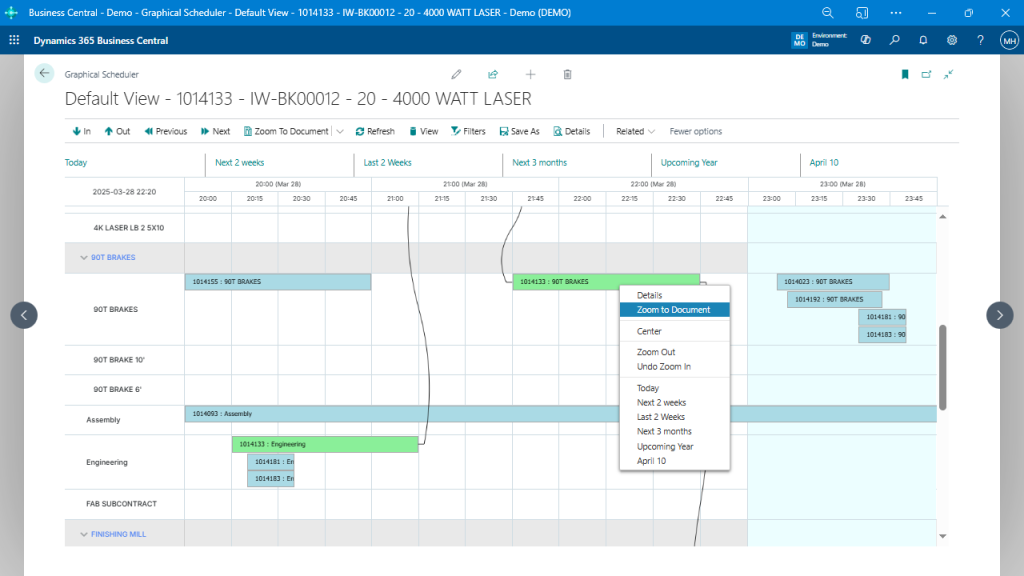
You can drag and drop operations to reschedule them. Filter by resource. Zoom in on a bottleneck. Or instantly highlight late orders. And because it’s native to Business Central, everything stays in sync—no spreadsheets, no exports.
How It Helps You Eliminate Bottlenecks
Let’s say a production planner notices two operations are overlapping on the same machine. In the standard BC view, this might go unnoticed until it causes a delay. With the Graphical Scheduler, the overlap is visually apparent. You can:
- Drag one operation to an available time slot.
- Automatically shift downstream tasks.
- Instantly view the impact on delivery timelines.
The result? Fewer surprises. Less firefighting. And more on-time orders.
Key Features That Keep Your Floor Flowing
Some of the most powerful features include:
- Real-Time Visualization: See your entire production timeline by day, week, or month.
- Filtering and Highlighting: Focus on specific items, work centers, or late orders.
- Custom Views: Save and toggle between views tailored to different teams or roles.
- Scheduling Warnings: Highlight scheduling conflicts, material constraints, and shop floor issues before they become real problems.
- Work and Machine Center Modes: Switch between summary and detailed modes for better resource management.
Built for Business Central
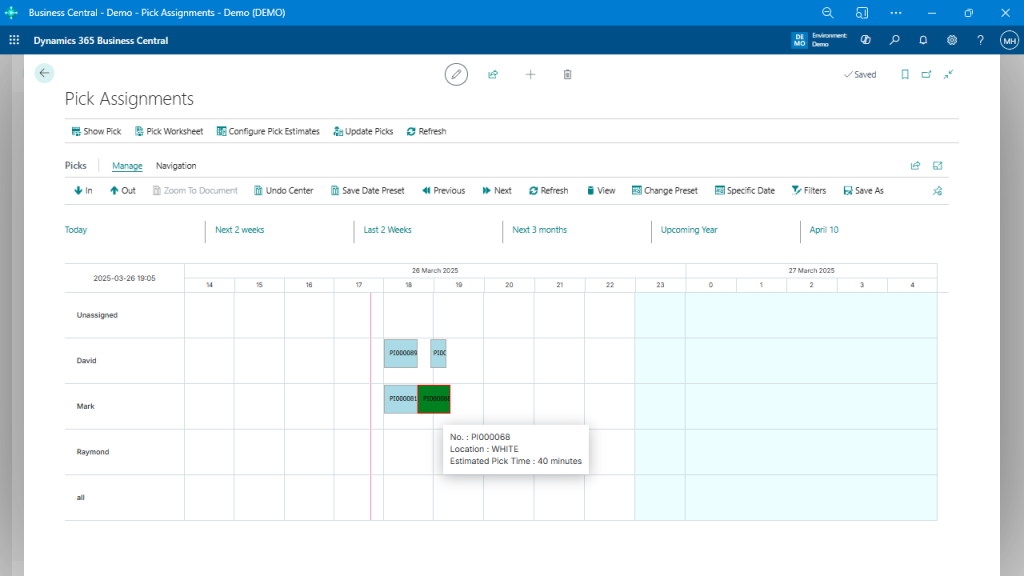
Because it’s developed specifically for Business Central, the Graphical Scheduler respects your native data, security, and processes. That means:
- No duplicate data.
- No risky external integrations.
- No retraining your team on another system.
If you already use the Manufacturing module, this fits right in.
For Manufacturers Who Want Control
If you’re constantly shifting dates, juggling work center loads, or guessing at capacity, the Graphical Scheduler gives you the tools to take control—visually.
It doesn’t just highlight the bottlenecks—it helps you fix them.
Try It in Your Environment
Want to reduce chaos and boost confidence in your schedule? Visit SchedulerForDynamics.com to learn more, or try the Graphical Scheduler in your own Business Central sandbox.
It’s time to move from firefighting to flow.