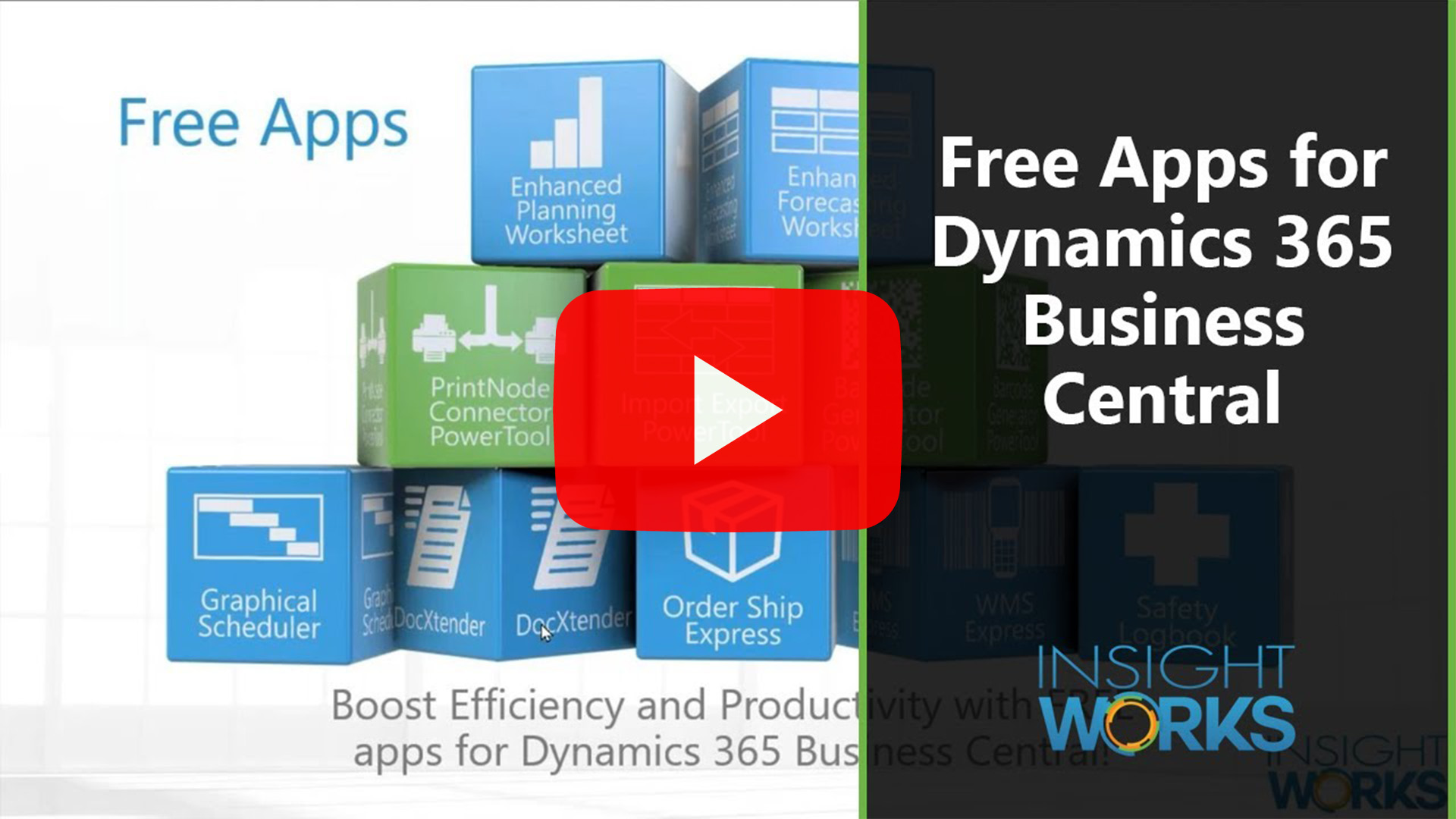
Nine Free Apps to Get More From Business Central
Listen to the Podcast
Microsoft Dynamics 365 Business Central is a strong, well-rounded ERP. It covers finance, inventory, sales, purchasing, and light manufacturing in a way that works for a wide range of organizations. For many teams, it replaces multiple legacy systems and brings everything into a single operational model.
That said, Business Central is also designed to be extensible. Microsoft leaves intentional gaps so organizations can adapt the system to how they actually operate rather than forcing every workflow into a rigid mold.
For companies that have already invested in Business Central, that extensibility matters. It means you can add targeted functionality without replacing core processes—or paying for features you do not need.
Below are several free Business Central apps that address common, real-world gaps. Each one focuses on a specific operational problem, stays within Business Central, and adds value without increasing licensing costs.
1. Visual Production Scheduling Without the Complexity
Production dates are hard to manage when schedules are stored in lists and filtered. Business Central provides the structure, but understanding timing across work centers still takes effort.
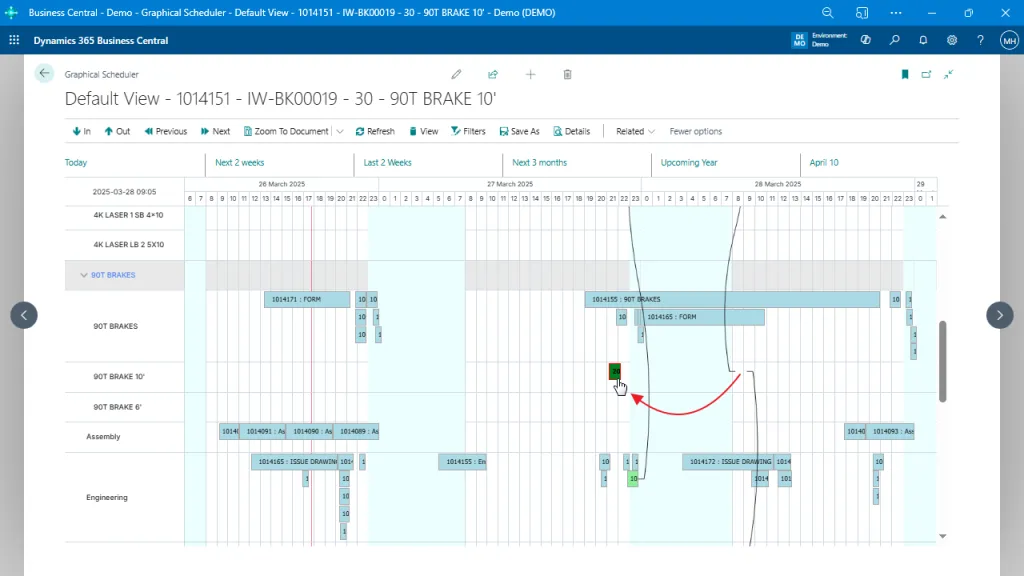
Graphical Scheduler gives planners a visual view of released production orders across work centers and machine centers. You adjust dates by dragging operations along a timeline rather than editing fields one by one.
The benefit is simple: clearer visibility and faster date adjustments, without introducing advanced planning logic or external scheduling systems.
2. Inventory and Purchasing Planning in One Place
Planning inventory in Business Central often means switching between demand, supply, vendor details, and location data. The system has the information, but it is spread across multiple pages and worksheets.
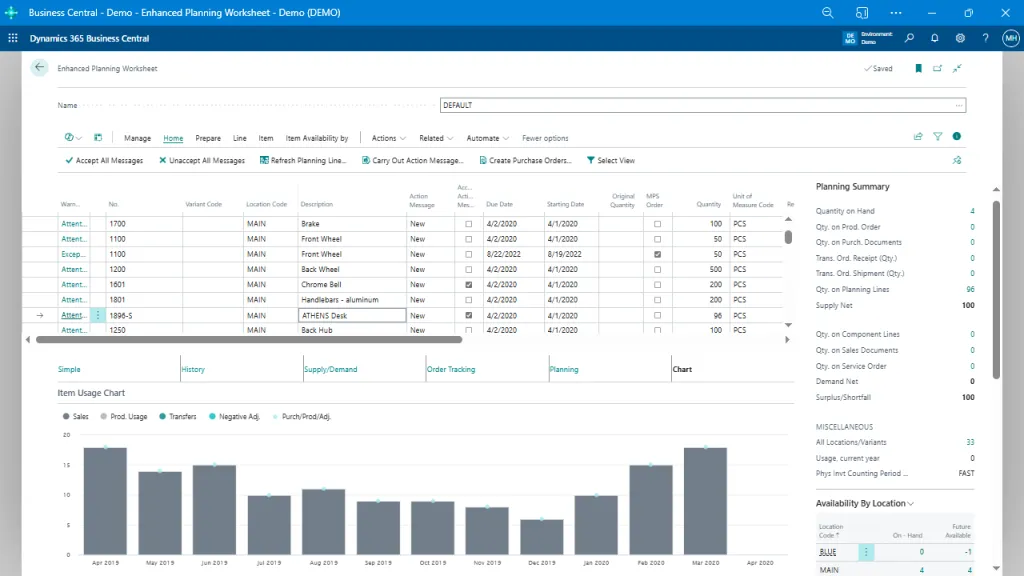
Enhanced Planning Worksheet brings inventory and purchase planning into a single workspace, with supply and demand summaries, vendor context, and multi-location visibility available in one view.
Planners can adjust purchase and transfer decisions directly in the worksheet, using current demand and historical context instead of working from fragmented data.
The result is more controlled purchasing decisions and less time spent reconciling planning inputs across the system.
3. Demand Forecasting That Stays Inside Business Central
Business Central supports forecasting, but many teams still rely on spreadsheets when forecasts need tuning, filtering, or different calculation approaches.
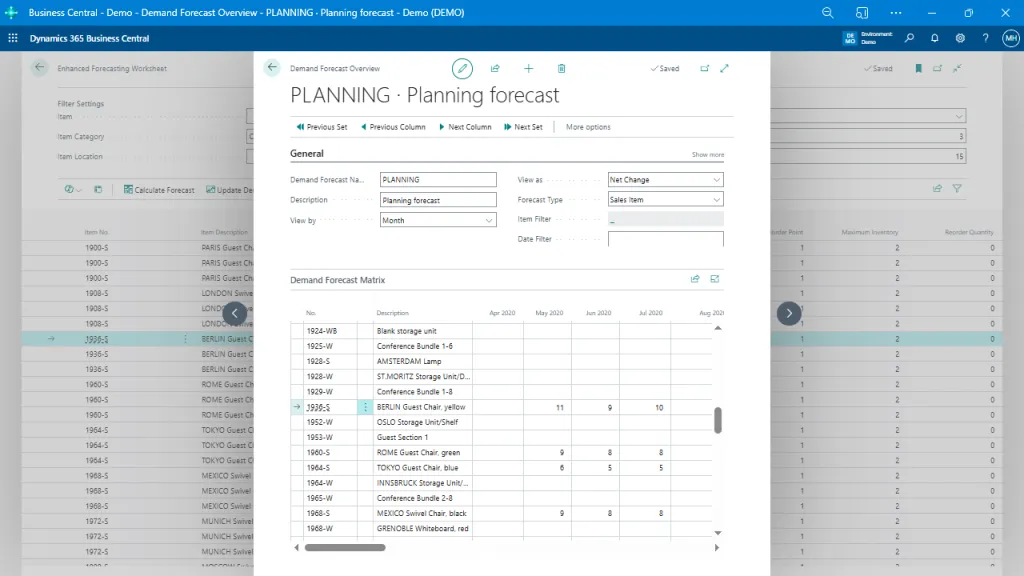
Enhanced Forecasting Worksheet adds configurable, algorithm-based forecasting directly inside Business Central, using historical usage data, flexible filters, and adjustable reorder parameters.
Forecasts remain tied to items, locations, and planning rules already defined in the system, rather than living in external tools.
You gain more reliable demand signals and better inventory decisions without breaking planning workflows out of Business Central.
4. Fast, Repeatable Data Imports and Exports
Moving data in and out of Business Central should not be the slowest part of an implementation or support cycle. Native tools work, but they are not designed for speed or repetition.
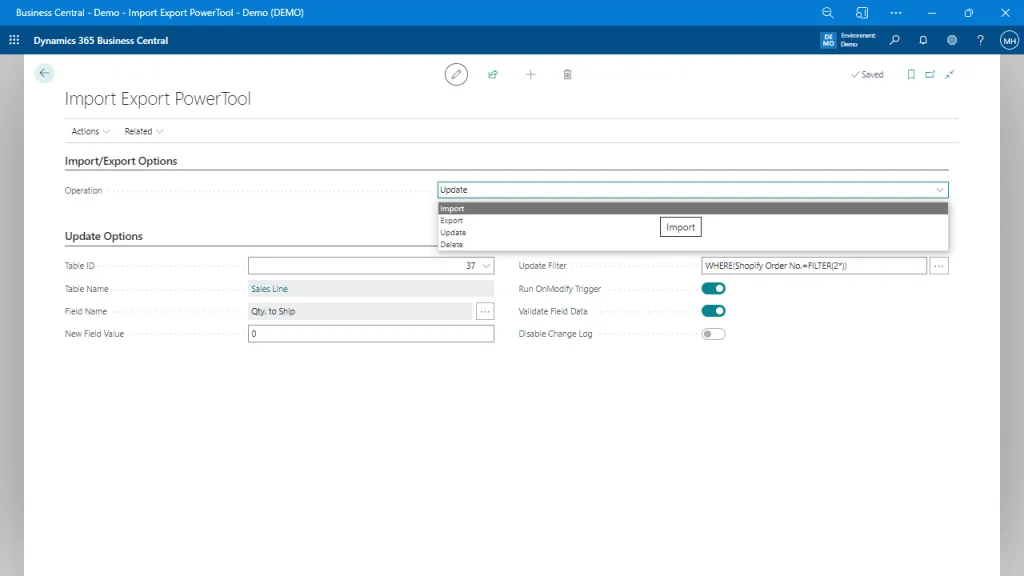
Import Export PowerTool handles high-volume imports, exports, updates, and deletes directly against Business Central tables. You reuse configurations, avoid Excel dependencies, and move data significantly faster than standard configuration packages.
The result is less time waiting on data and more time validating outcomes—especially useful during implementations, testing, and ongoing support.
5. Simple Parcel Shipping Inside Business Central
Shipping small parcels often requires jumping between systems, carrier websites, and manual label tools. That fragmentation slows down fulfillment and increases errors.
Order Ship Express connects Business Central to major parcel carriers, provides real-time rates, and prints shipping labels directly from sales orders and warehouse workflows.
The benefit is a straightforward shipping process that stays inside Business Central without introducing licensing friction for occasional or growing shippers.
6. Mobile Warehouse Scanning Without a WMS Project
Many warehouses need barcode scanning, but do not need a full warehouse management implementation. Business Central supports inventory structure, but it does not natively provide mobile scanning for warehouse management.
WMS Express enables receiving, picking, shipping, transfers, and counts using mobile devices and barcodes, aligned to your existing Business Central warehouse setup.
You gain scanning accuracy and real-time inventory updates without committing to a complex warehouse system or external middleware.
7. Document Attachments Where Users Actually Need Them
Business Central stores transactions well, but supporting documents often live elsewhere—such as email inboxes, file shares, or local desktops.
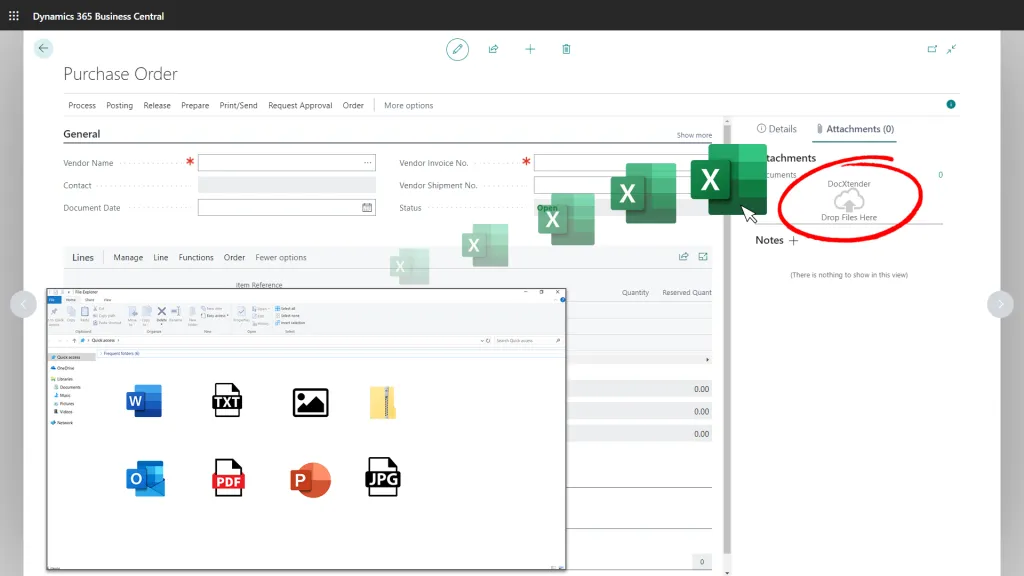
DocXtender allows users to drag and drop documents directly onto Business Central records, including sales orders, purchase orders, items, and customers.
The benefit is a simple record-level context. When users open a document, the supporting files are already there.
8. Structured Safety and Incident Tracking
Many organizations track safety incidents outside the ERP, usually in spreadsheets or disconnected systems. That creates visibility and compliance challenges.
Safety Logbook provides a structured way to record incidents, involved employees, injuries, follow-up actions, and severity levels—all within Business Central.
You get centralized, auditable safety records without introducing a separate EHS system.
9. Barcodes on Business Central Reports
Business Central supports barcodes operationally, but adding them to printed or PDF reports typically requires custom development.
Barcode Generator PowerTool allows you to add 1D and 2D barcodes directly to Business Central reports, including invoices, pick documents, and production paperwork.
The outcome is better scan-ready documents that support downstream warehouse and production processes without modifying core data structures.
Get Started with Free Apps Today!
Business Central gives you a strong operational foundation. These free apps focus on the practical edges—scanning, shipping, scheduling visibility, documents, data movement, and safety—where teams often feel friction first.
Because they stay within Business Central and incur no licensing costs, they are easy to evaluate, deploy, and support.
If you are looking to get more value from the system you already own, free apps are often the safest place to start.
Explore the full library of free apps for Business Central from Insight Works and see which gaps you can close without adding cost or complexity.