How to Integrate Mailchimp with Dynamics 365 CRM | Marketing4Dynamics Tutorial
FREE Membership Required to View Full Content:
Joining MSDynamicsWorld.com gives you free, unlimited access to news, analysis, white papers, case studies, product brochures, and more. You can also receive periodic email newsletters with the latest relevant articles and content updates.
Learn more about us here
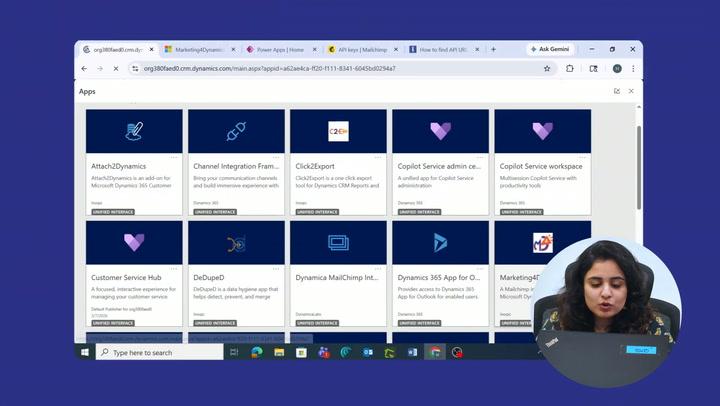
Want to connect Mailchimp with Microsoft Dynamics 365 CRM and simplify your marketing workflow? In this tutorial, discover how Marketing4Dynamics by Inogic helps connect your CRM and email marketing activities in one place.
This step-by-step video walks you through setting up the Mailchimp–Dynamics 365 CRM connection using API keys and explains how integrated customer data can make campaign management easier.
In this video, you’ll discover how to:
✅ Connect your Mailchimp account to Dynamics 365 CRM using API keys.
✅ Configure your Mailchimp Dynamics 365 integration with Marketing4Dynamics.
✅ Synchronize contacts and audience data between Mailchimp and Dynamics 365.
✅ Manage and track Mailchimp email campaigns directly within your CRM workflow.
✅ Improve visibility into campaign engagement and customer interactions.
With Marketing4Dynamics, businesses can reduce manual data transfers, keep relevant customer information connected, and help sales and marketing teams work more efficiently. A connected workflow also makes it easier to access campaign insights alongside customer records in Dynamics 365 CRM.
Whether you're setting up your first Mailchimp Dynamics 365 CRM integration or looking for a more efficient way to manage email marketing and CRM data, this tutorial will help you understand the process.
🚀 Ready to connect Mailchimp with Dynamics 365 CRM?
Explore Marketing4Dynamics by Inogic:
https://www.inogic.com/product/productivity-apps/mailchimp-dynamics-365-crm-integration-marketing-4-dynamics/

Inogic is a leading Microsoft Dynamics 365 CRM ISV, delivering innovative apps and professional services on Dynamics 365 CRM and the Power Platform since 2007.