Unlocking Planning Flexibility in Business Central
Adapting to changing business conditions requires tools that deliver planning flexibility in Business Central. While Microsoft Dynamics 365 Business Central offers a strong foundation, adding advanced apps enables businesses to streamline operations and enhance planning processes.
Insight Works provides three robust apps—Enhanced Planning Pack, Graphical Scheduler, and MxAPS—that extend the capabilities of Business Central. These apps deliver the features needed for businesses to achieve true planning flexibility.
Understanding Planning Flexibility in Business Central
Planning flexibility in Business Central involves adapting workflows, forecasts, and schedules to meet evolving business needs. This adaptability ensures businesses remain agile in the face of supply chain disruptions, fluctuating customer demand, or resource constraints.
While Business Central delivers robust planning features, additional apps like Enhanced Planning Pack, Graphical Scheduler, and MxAPS provide advanced capabilities. These apps seamlessly integrate into Dynamics 365 Business Central to address specific challenges and streamline operations.
Enhanced Planning Pack: Advanced Forecasting and Inventory Control
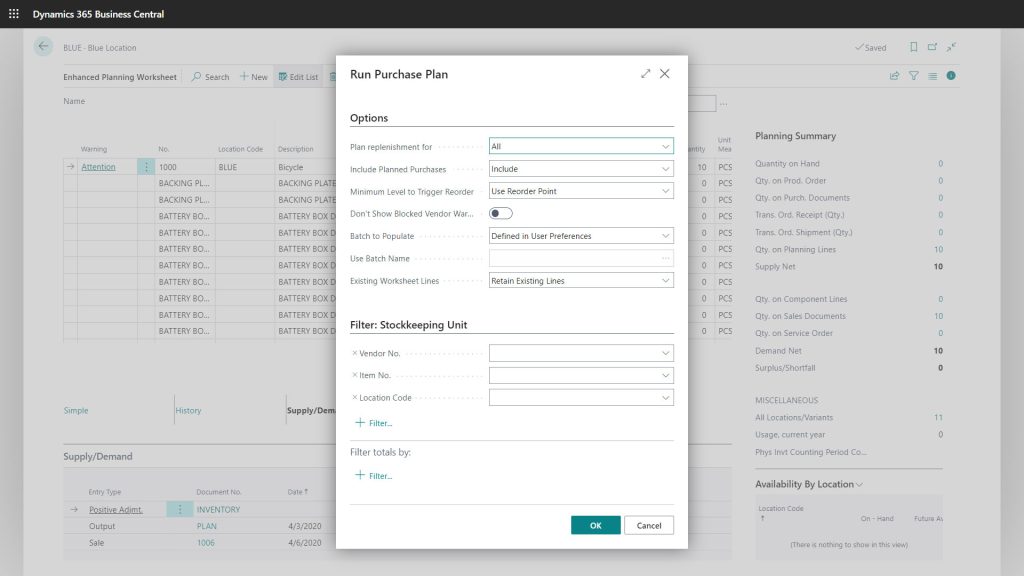
Enhanced Planning Pack offers a set of apps that optimize inventory management and demand forecasting, helping businesses boost accuracy and efficiency. Supercharge Business Central with a set of apps to optimize your processes and give you more visibility into forecasts and operations.
Key Features of Enhanced Planning Pack:
1. Enhanced Planning Worksheet: Optimize inventory planning with real-time forecasting and efficient reordering.
- Demand Forecast Update: Adjust forecasts dynamically for Material Requirements Planning (MRP).
- Calculated Values for Inventory Management: Automates critical inventory calculations, including safety stock and reorder points.
- Update Item Planning: Provides an easy way to update item-level planning values directly on the item card.
2. Item Planning Review: Optimize inventory management by streamlining reorder planning, minimizing costs, and enhancing accuracy.
- Supply and Demand Summary: Delivers quick insights into net supply and demand.
- Visibility Across Locations: Enables efficient inventory decisions with insights from multiple locations.
3. Enhanced Forecasting Worksheet: Precise, customizable inventory forecasting to prevent stockouts and optimize stock levels.
- Time Period Selection: Offers flexibility to review and plan for specific periods.
- Filtering Options: Allows users to refine data for better-targeted planning.
- Data Display: Presents usage data in a clear, actionable format for improved forecasts.
4. Multi-Level BOM Viewer: Easily visualize and edit complex BOM hierarchies for streamlined operations.
- BOM Analysis: Visualizes materials required for production in a hierarchical view, aiding flexible planning.
- Production Feasibility: Identifies potential shortages to adjust production plans proactively.
5. Routing Analysis: Optimize production with routing analysis to reduce variability and enhance costing accuracy.
- Outlier Identification: Detects inefficiencies in routing, supporting smoother production schedules.
- Production Workflow Insights: Provides detailed analysis of routing steps to streamline operations and eliminate bottlenecks.
- Improved Resource Utilization: Ensures efficient use of resources by aligning routing data with production goals.
6. Production Order Analysis: Monitor actual vs. expected production costs in real-time to optimize budgets and enhance profitability.
- Detailed Cost Monitoring: Monitors actual versus expected production costs in real time to optimize budgets and enhance profitability.
- Routing Integration: Reviews orders using specific routings, ensuring alignment with real-world production workflows.
- Operational Insights: Identifies areas for cost-saving improvements by analyzing order-level performance metrics.
Enhanced Planning Pack equips businesses to stay ahead by simplifying inventory control and improving forecast precision.
Graphical Scheduler: Intuitive and Visual Scheduling
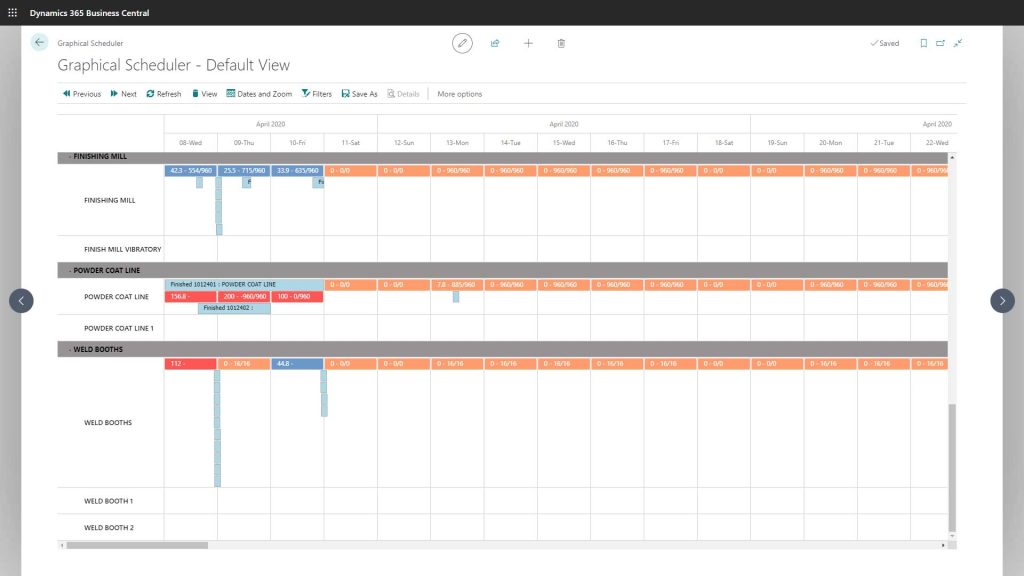
Graphical Scheduler provides a straightforward solution for visualizing and adjusting production schedules, which is ideal for businesses seeking an easy-to-use planning app. Visualize each workstation, enabling managers and staff to manage production scheduling more effectively.
Key Features of Graphical Scheduler:
- Drag-and-Drop Interface: Simplifies scheduling by allowing quick adjustments to tasks and operations.
- Operation Highlighting: A visual overview of related tasks improves understanding of workflows and dependencies.
- Built-In Filters: Speeds up locating operations by allowing searches based on keywords or production order numbers.
- Customizable Color Coding: Enables users to quickly identify issues and assign colors to task statuses.
- Flexible Calendar Views: Supports daily, weekly, and monthly scheduling layouts to accommodate different planning needs.
Graphical Scheduler is a user-friendly app that improves workflow visibility and simplifies production scheduling.
MxAPS: Precision Scheduling for Complex Operations
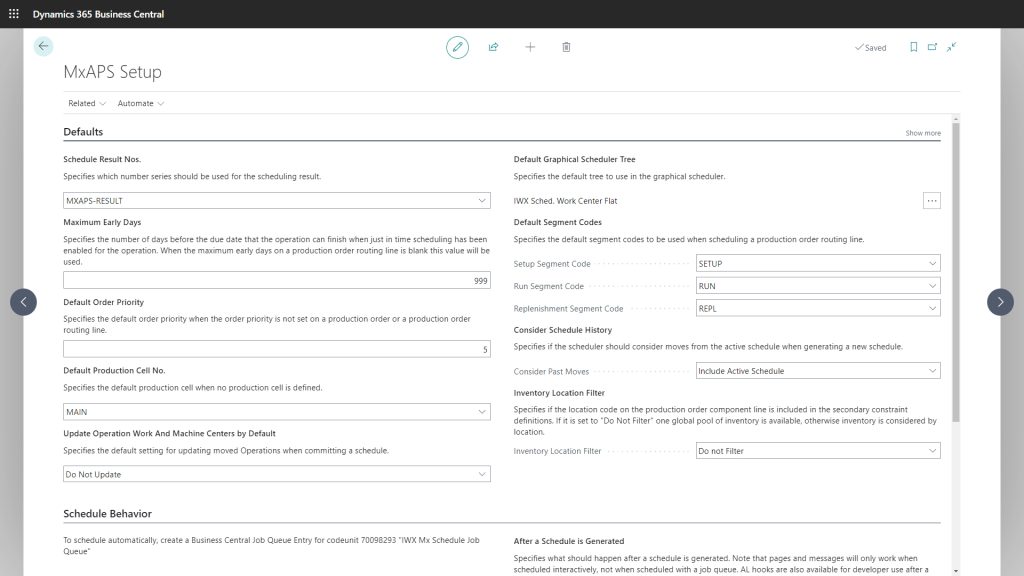
MxAPS is an app for manufacturers managing intricate production workflows, offering advanced finite-capacity and automated scheduling to maximize efficiency. Drive manufacturing excellence with advanced finite capacity scheduling in Business Central.
Key Features of MxAPS:
- Dynamic Scheduling: Generates automated production plans that align with real-time demand, customer priorities, and available resources.
- What-If Analysis: Enables users to simulate scenarios and assess the impact of schedule changes before implementation.
- Resource Allocation: Optimizes labor, machines, and materials to eliminate bottlenecks and improve throughput.
- Maintenance Planning: Includes downtime management to ensure smooth operations and minimize disruptions.
- Integrated Workflow Modeling: Offers machine-level scheduling and sequencing, enhancing visibility and control over complex processes.
MxAPS delivers advanced capabilities, including automated scheduling, that support informed decision-making and operational excellence.
Choosing the Right App for Your Planning Needs
Each of these apps offers unique advantages for enhancing planning flexibility in Business Central:
- Enhanced Planning Pack streamlines forecasting and inventory management for businesses needing precision in inventory control.
- Graphical Scheduler provides a simple yet powerful way to visualize and adjust production schedules.
- MxAPS is perfect for manufacturers handling complex workflows that require detailed and automated scheduling capabilities.
All three apps integrate seamlessly with Dynamics 365 Business Central, providing businesses powerful tools to enhance their planning processes.



Transform Your Planning with Insight Works Apps
Insight Works has a solution to fit your needs, whether you’re managing inventory, optimizing production schedules, or visualizing workflows. The Enhanced Planning Pack, Graphical Scheduler, and MxAPS empower businesses to stay agile, productive, and competitive.
For more information, visit PlanningForDynamics.com for Enhanced Planning Pack, SchedulerForDynamics.com for Graphical Scheduler, or SchedulingForDynamics.com for MxAPS, or contact your Microsoft Partner to learn more.