Shipping in Business Central Without External Systems: How Dynamic Ship Centralizes Carrier Management
Many Business Central teams still manage shipping in separate systems. Staff members rate shops on carrier websites. They print labels from external tools. They then copy tracking numbers back into Business Central.
That process creates extra steps and increases errors.
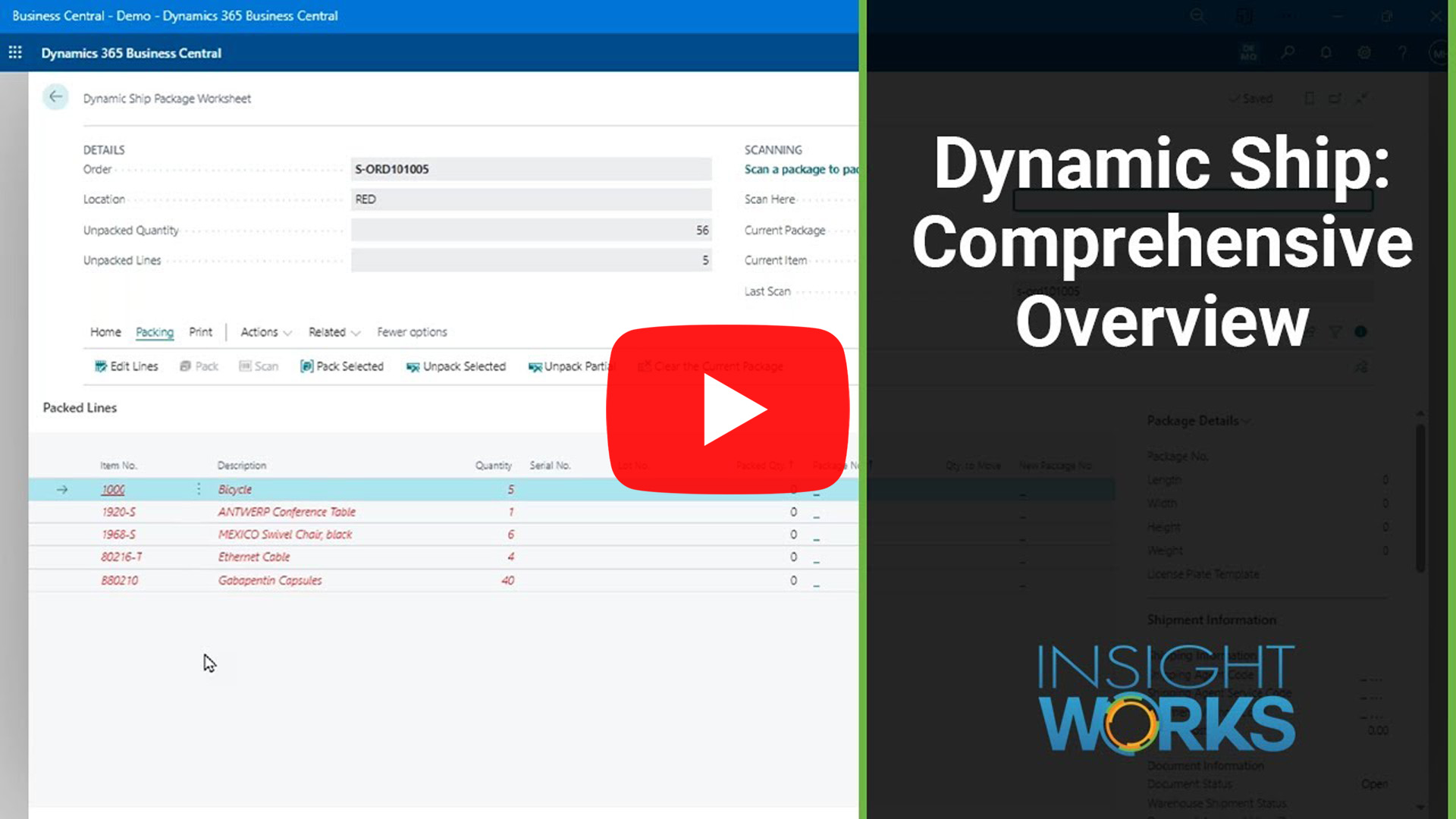
The Dynamic Ship app from Insight Works moves shipping execution directly into Microsoft Dynamics 365 Business Central. Teams work in one system using the same orders, customers, and item data they already maintain.
Why Centralized Shipping Matters Operationally
Shipping decisions affect cost, customer satisfaction, and accounting accuracy. Teams often make these decisions under time pressure.
When shipping happens outside Business Central, teams often see:
- Different users choosing different carriers.
- Freight charges that do not match invoices.
- Limited visibility for customer service.
- Extra reconciliation work for accounting.
Dynamic Ship keeps shipping data inside Business Central. That approach helps operations and finance teams stay aligned.
Where Business Central Reaches Its Native Limits
Business Central supports shipping agents and services. That support works well for basic processing.
However, standard Business Central does not handle:
- Real-time carrier rate shopping.
- Shipping label generation.
- Package-level detail and tracking.
- Freight pricing based on actual carrier costs.
As shipping volume grows, teams often add external shipping software. Dynamic Ship removes that need.
Packaging and Shipping from a Single Workspace
Dynamic Ship uses the Package Worksheet as the main shipping screen. Shipping staff package orders, assign items to boxes, and prepare shipments in a single location.
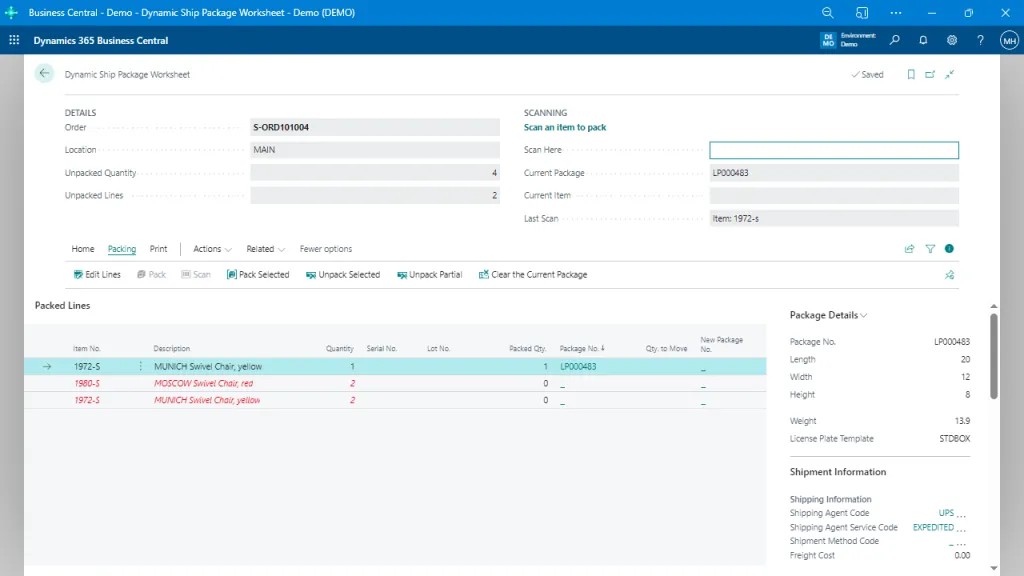
The Package Worksheet shows order details, item quantities, and serial or lot numbers at the package level. That visibility improves packing accuracy and supports tracking, EDI, and customer requirements.
Fast Label Creation for High-Volume Shipping
Some shipments do not require detailed package breakdowns. Dynamic Ship supports those scenarios with Quick Label processing.
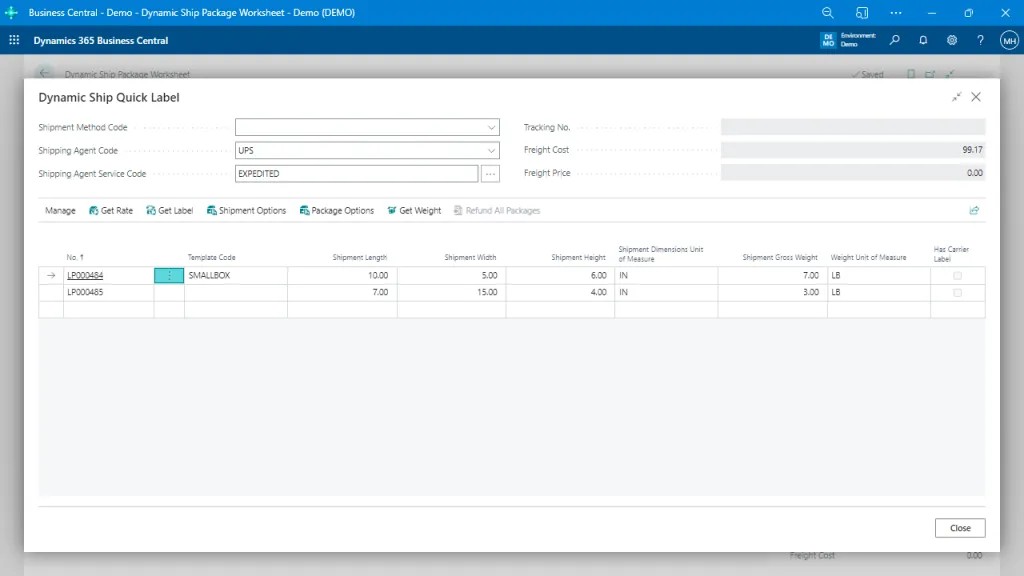
Quick Label enables users to enter box size, weight, and shipping options. The system then generates the carrier label immediately. This workflow works well at busy shipping stations where speed matters.
Real-Time Rate Shopping Inside Business Central
Dynamic Ship retrieves live rates from configured parcel, LTL, and FTL carriers. The system uses the company’s carrier accounts.
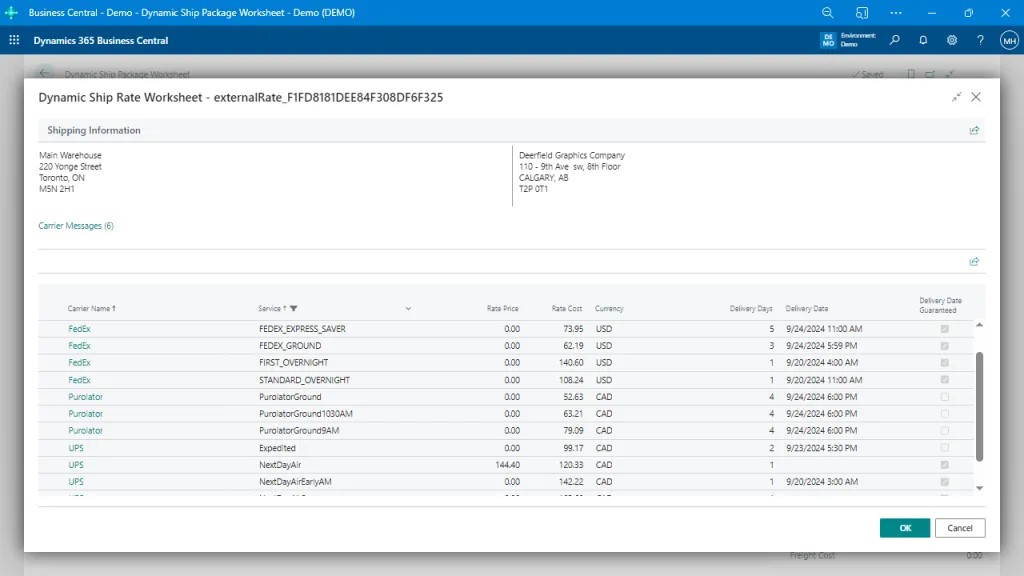
The rate shopping screen compares services by cost and delivery time. Users choose carriers based on real data instead of estimates. Sales teams and warehouse teams can use the same rate logic at different stages of the process.
Controlling Freight Charges with Pricing Rules
Dynamic Ship includes freight pricing rules that control how shipping costs appear on sales documents.
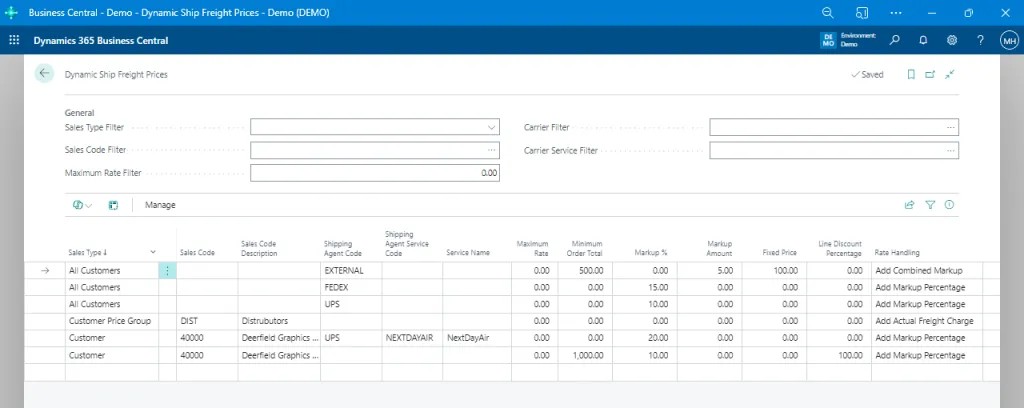
These rules enable teams to apply markups, discounts, caps, or free freight conditions. The rules can vary by customer, carrier, service, or order value. This structure keeps freight charges consistent and predictable.
One System for Shipping Execution
Dynamic Ship enables teams to handle shipping entirely inside Microsoft Dynamics 365 Business Central. The app combines carrier selection, packaging, label printing, and freight cost logic into a single workflow. That structure reduces manual work, improves accuracy, and gives teams better control over shipping decisions.
To see how centralized shipping can simplify your Business Central environment, visit ShippingForDynamics.com and review how it fits into your fulfillment process, or reach out to your Microsoft Partner today.