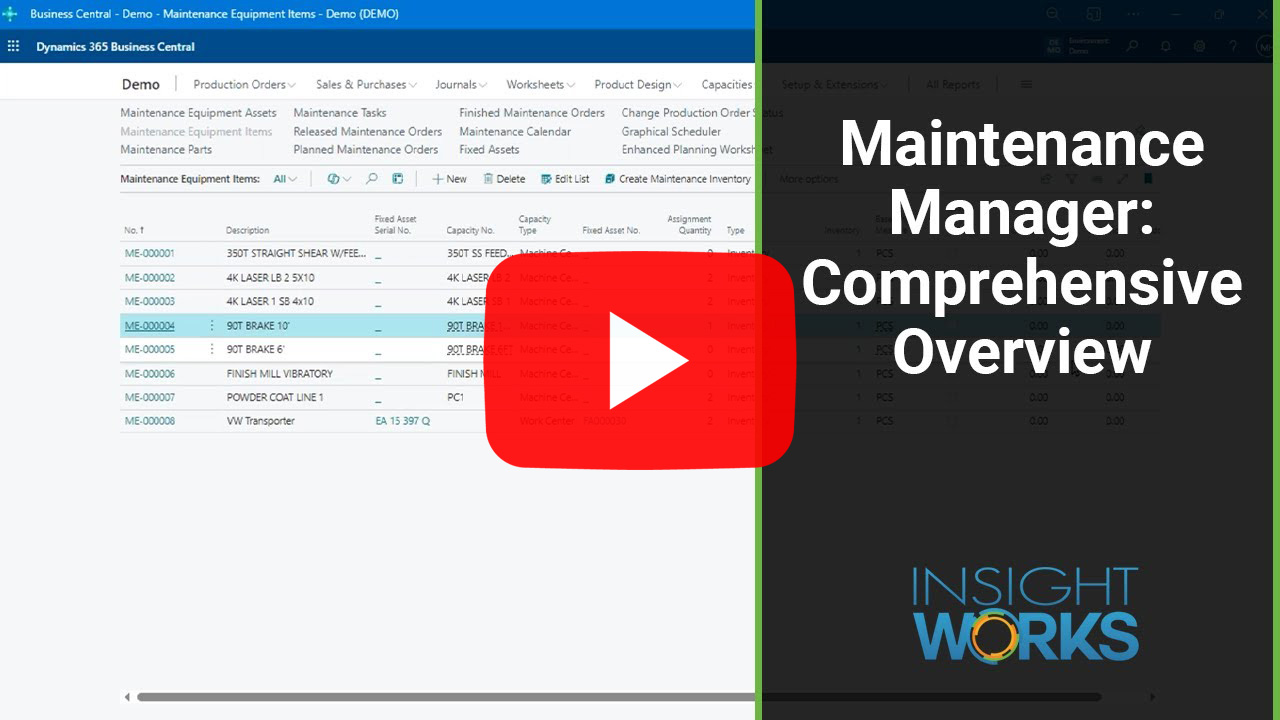
How to Block Production Capacity for Maintenance in Business Central—Without Causing Bottlenecks
In manufacturing, maintenance and production often compete for the same limited resource: time on equipment. Maintenance is essential, but when it isn’t scheduled intelligently, it becomes a bottleneck, disrupting production, causing overtime, and throwing off delivery timelines.
The root of the problem? Visibility. Microsoft Dynamics 365 Business Central doesn’t natively treat maintenance as a separate entity from production. You can’t assign machine time to a maintenance task and expect the scheduler to avoid it. The system won’t stop production from being scheduled on a machine that’s already slated for a service task. This creates conflict between planners and technicians, leading to reactive and inefficient workflows.
Treating Maintenance Like Production
There’s a more innovative way. Business Central understands production orders, so why not treat maintenance the same way? By creating maintenance orders that behave just like production orders—complete with routings, BOMs, and scheduled times—maintenance becomes part of the plan instead of an afterthought.
When you link a maintenance order to a work or machine center, Business Central automatically reduces available capacity during that time. If you use scheduling tools like MxAPS or the free Graphical Scheduler, those tools will respect that downtime and avoid assigning production to equipment that’s already booked.
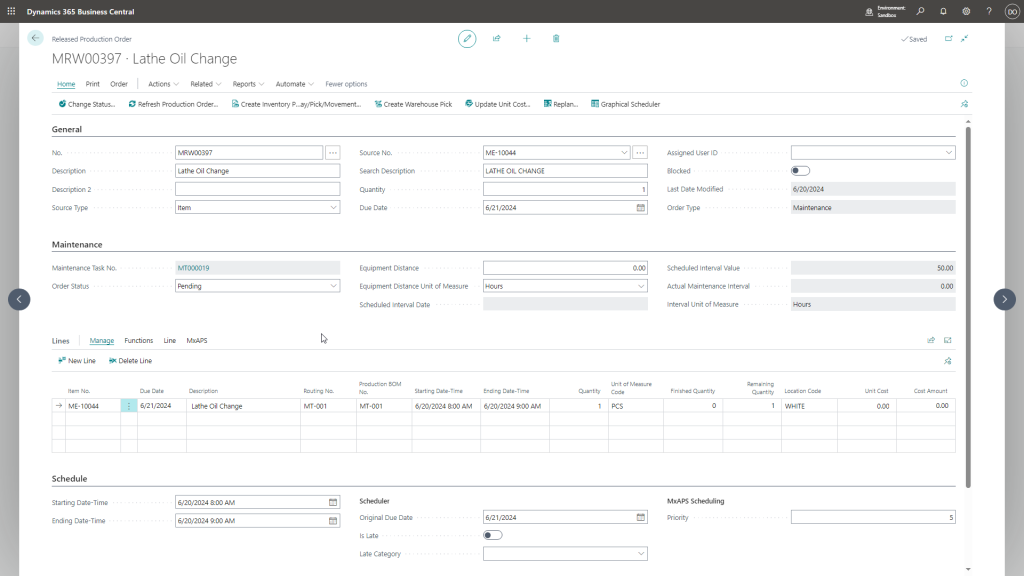
Dynamic Scheduling with MxAPS
By integrating with MxAPS, Business Central can extend its capabilities beyond fixed scheduling. MxAPS evaluates available windows and automatically places maintenance in low-impact time slots—between jobs, during low-load periods, or ahead of planned downtime. This minimizes disruption and ensures equipment is serviced without delaying customer orders.
This isn’t theory. It’s already happening. When maintenance tasks are created with defined routings and durations, MxAPS treats them with the same logic as production jobs, optimizing for both throughput and uptime.
Maintenance Orders That Trigger from Real Usage
Another key element: knowing when to schedule maintenance. Most companies use static calendars—weekly, monthly, quarterly—but this isn’t always accurate. Business Central can improve by triggering maintenance based on runtime, output quantity, or distance—whatever makes sense for the specific asset.
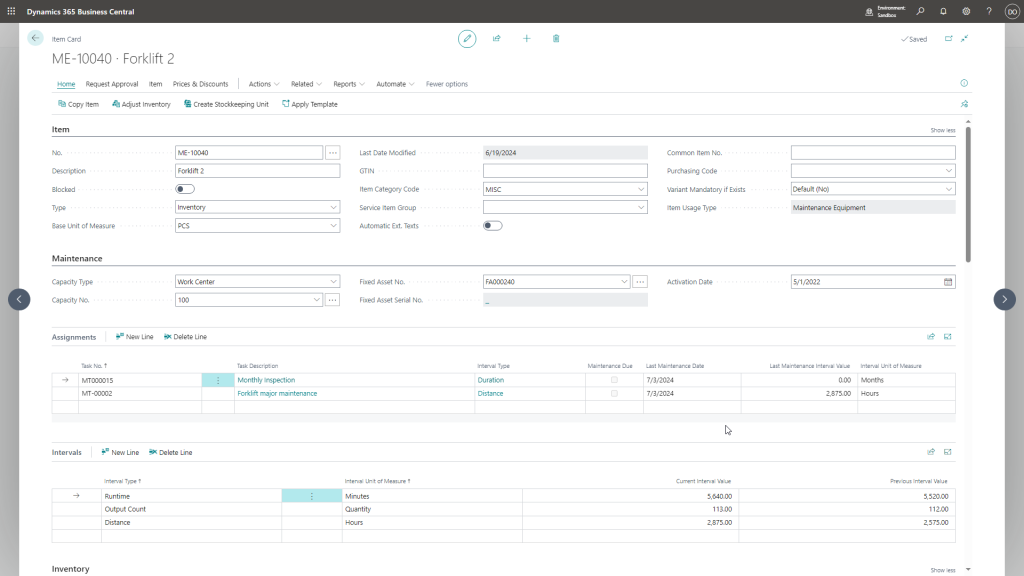
Because these counters update automatically during standard production posting, technicians don’t need to log usage separately. Maintenance scheduling becomes a function of actual production, not guesswork.
Visibility into What's Coming
Maintenance orders become fully trackable and auditable. Need to know what’s in the pipeline? It’s all there, visible to both planners and managers.
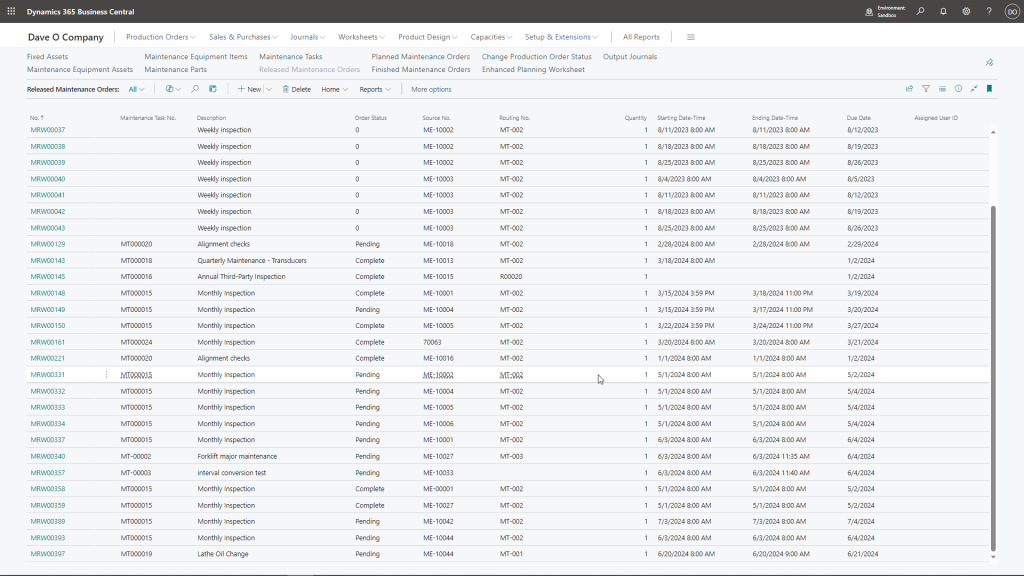
This visibility also enables accurate purchasing for spare parts. When maintenance orders consume components—such as filters, bearings, and fluids—Business Central recognizes this as demand. The Enhanced Planning Worksheet can help prevent last-minute part shortages.
Maintenance Manager: Closing the Loop
All of this becomes possible with the Maintenance Manager app from Insight Works. Built specifically for Business Central, Maintenance Manager enables users to create maintenance orders that behave like production orders—fully integrated with work centers, routings, spare parts, planning, and MxAPS.
It bridges the gap between maintenance and scheduling. Maintenance tasks get triggered by real data. Technicians see their work clearly. Planners avoid collisions. And managers finally gain control over downtime and maintenance costs.
Maintenance doesn’t have to be reactive or disruptive. With the right structure in Business Central, it becomes part of the plan—predictable, optimized, and visible.
Learn more at MaintenanceForDynamics.com