Why Explanation Order Matters in Dynamics 365 Business Central Financial Reports
When organizations migrate from Microsoft Dynamics SL to Dynamics 365 Business Central, most reporting challenges are not mathematical problems. They are problems of expectation and explanation during report review.
A Trial Balance can be correct, balanced, and built using supported tools, yet still feel wrong to users. That disconnect usually has nothing to do with the numbers and everything to do with how the report behaves compared to what they are accustomed to seeing.
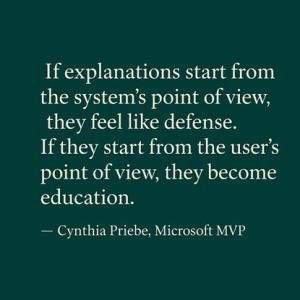
This article follows a previous discussion on how organizations moving from Dynamics SL rebuild the Trial Balance using Business Central Financial Reports. Rather than revisiting the mechanics, I wanted to explore in greater depth how those mechanics are explained during report review, and why the order of explanation matters more than we often realize.
This article does not walk through how to build Financial Reports. It focuses on how report behavior is explained and reviewed with users while putting reports into use.
The Moment That Triggered the Insight
While reviewing a Financial Report version of a Trial Balance with a Business Central user, a question arose about a Current Year Profit Loss G/L Account that did not appear in the report.
I first explained posting history and Business Central’s separation between posted data and calculated values. That explanation was technically correct, but it missed the user’s starting point.
The real concern was not how Business Central works, but why something familiar appeared to be missing.
That moment highlighted an important truth about financial reporting conversations.
How Finance Users Actually Read Reports
Controllers and finance leaders do not read reports like system diagrams. They scan them, looking for any missing details and questioning totals. They decide whether they trust a report before they decide whether they understand it.
FREE Membership Required to View Full Content:
Joining MSDynamicsWorld.com gives you free, unlimited access to news, analysis, white papers, case studies, product brochures, and more. You can also receive periodic email newsletters with the latest relevant articles and content updates.
Learn more about us here