Business Central’s Hidden Depreciation Features for Assets Already in Service
When I began my journey in the world of Navision, (NAV’s and Business Central’s predecessor), I worked with a Navision Solution Center that had a rental solution. The rental companies utilizing this solution had to implement the Fixed Asset granule and these companies were always adding value to assets already in service.
Standard Dynamics 365 Business Central depreciation functionality has not changed significantly from its origins in Navision. After the initial depreciation has been posted to the asset and after a second acquisition cost has been added to the asset, unless specifically triggered, the Calculate Depreciation function for the next month’s depreciation will only be calculated from the posting date of that second acquisition cost.
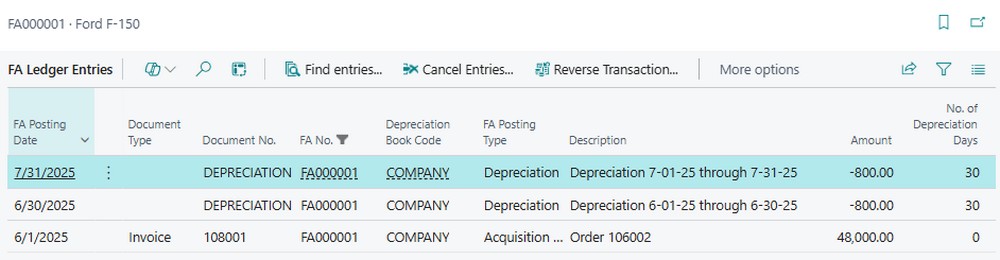
As an example, we have a truck with an acquisition cost of $48,000 in June with a five-year useful life and two months of depreciation.
FA Ledger Entries for Fixed Asset FA000001
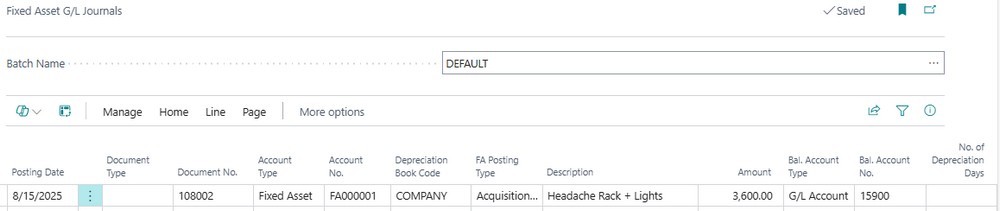
When adding additional value to the Fixed Asset there are two options. The first option is posting the new acquisition cost in a Fixed Asset G/L Journal.
Fixed Asset G/L Journal – Posting Additional Acquisition Cost for Fixed Asset FA000001
The second option is posting the new acquisition cost on a Purchase Invoice.
Purchase Invoice – Posting Additional Acquisition Cost for Fixed Asset FA000001
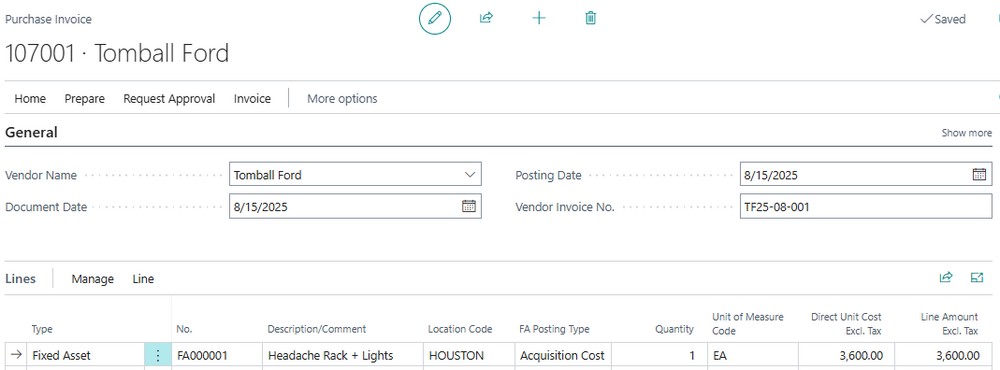
With both options, the Posting Date determines when the default starting date for depreciation will begin. In the examples above, the additional acquisition cost was posted with a 8/15/2025 Posting Date.
Running the Fixed Asset – Book Value 01 report as of 8/31/25 before we calculate August depreciation shows a new Book Value of $50,000.
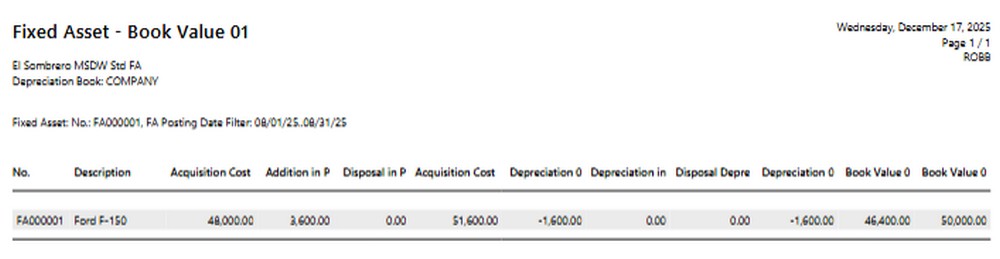
Without using “Use Force No. of Days” option on the Calculate Depreciation function, depreciation will only calculate depreciation will only be calculated for 16 days.
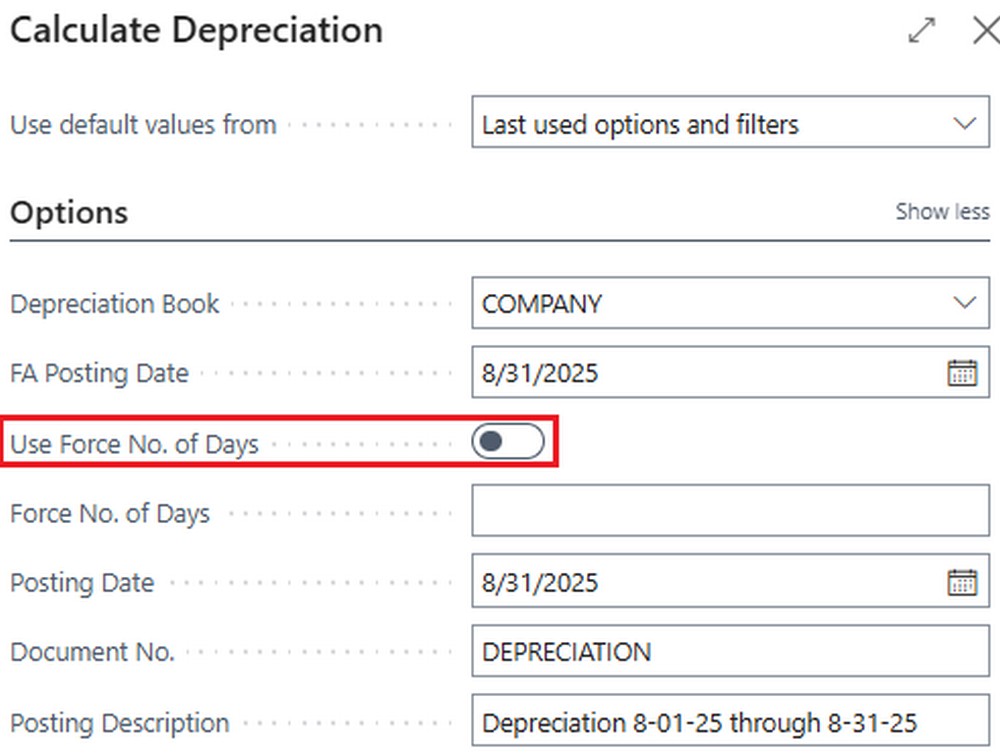
This is based on the Posting Date of the new acquisition cost through month-end. In this case, the 15th through the 30th.
Fixed Asset G/L Journal – Displaying 16 Days of Depreciation for Fixed Asset FA000001
FREE Membership Required to View Full Content:
Joining MSDynamicsWorld.com gives you free, unlimited access to news, analysis, white papers, case studies, product brochures, and more. You can also receive periodic email newsletters with the latest relevant articles and content updates.
Learn more about us here