A Practical Guide to Territory Planning in 2026
In an end of the year report, the CEO of Rebel Services realized that a lot of potential leads that could have been strong clients were not contacted by any of the Sales Reps! Have you also faced a similar situation in your business? Or you are fighting it and want to change, then this blog could hold a solution.
The situation with Rebel Services occurred due to inefficient sales territory management. Effective territory planning can directly impact your business performance. Companies with well-designed territories often surpass their sales targets by significant margins, while poorly arranged territories can drag performance down. With growing market complexity and expanding field teams, territory planning cannot be done by simply dividing areas, it needs to turn geographic strategy into a competitive advantage.
Why Territory Planning Matters More Than Ever
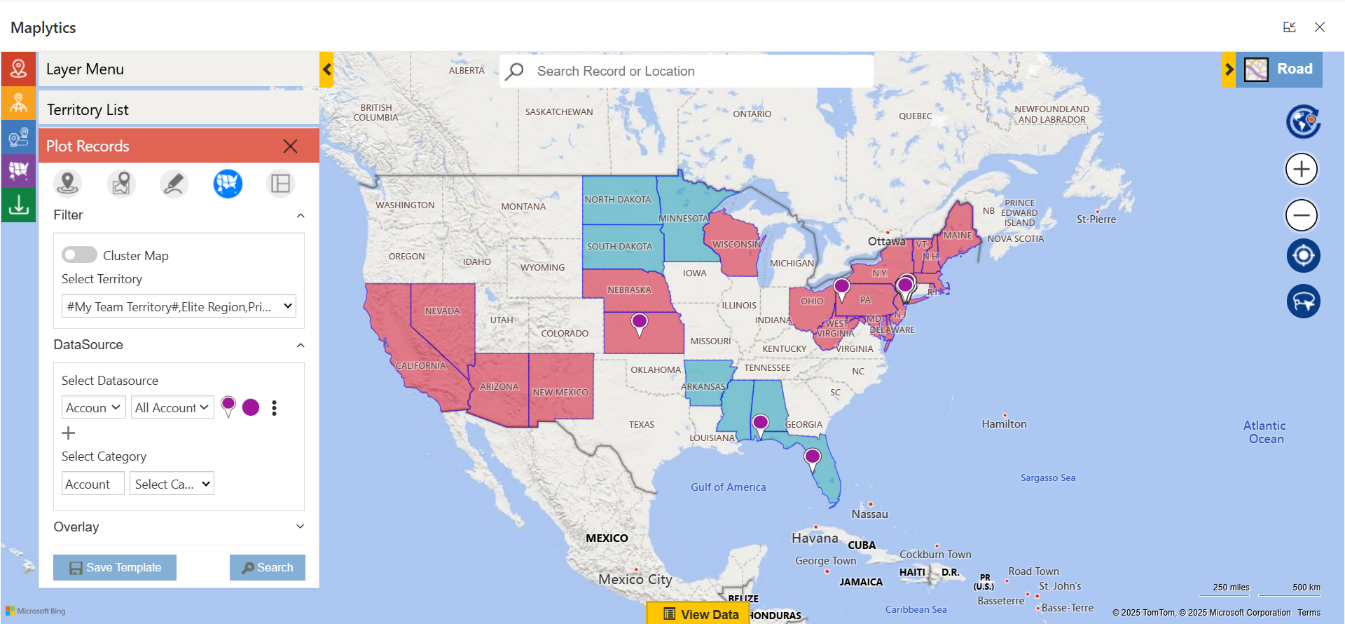
When a business scales into new regions or relies heavily on field resources, geography isn’t a simple backdrop but a strategic asset. Incorrect territory boundaries can lead to coverage gaps, inconsistent customer engagement, and uneven workload distribution. To succeed in 2026, territory planning must evolve beyond basic segmentation and become more data-driven, adaptable, and visual. Map-based territory tools help teams see coverage clearly, adjust boundaries, and improve planning across the organization.
You can download a 15-day free trial of Maplytics now and experience the tool in your environment!
Fundamentals of Effective Territory Planning
Before exploring tools and techniques, it helps to understand some core principles that modern businesses rely on for sound territory design:
- Balance Workloads: Territories should be fair and manageable so reps can be productive without burnout.
- Match Business Metrics: Beyond geography, consider customer value, revenue potential, or account counts when shaping territories.
- Visual Representation: Maps make it easier to spot overlaps, gaps, and opportunities that tables alone can’t show.
- Flexible Frameworks: Markets change frequently & territory structures should be able to adjust as conditions evolve.
- Collaborative Decision-Making: Involve sales, operations, and leadership to ensure territory plans align with broader goals.
- Smart Use of Data: Combine historical sales, customer behavior, and forecasted potential to guide territory boundaries.
These principles turn territory planning from a one-time task into a continuous strategic process.
Capabilities of Advanced Territory Tools
Modern geo-mapping and territory management tools like Maplytics bring crucial capabilities that help teams implement these principles effectively:
- Create territories automatically or by drawing geographic regions manually
- Draw shapes or upload files to define custom regions
- Balance territories using key alignment metrics like account count or revenue
- Save drafts and refine territory models before finalizing
- Visualize hierarchical territories, including parent and child relationships
- Plot territories with actual business data to see current coverage patterns
- Use interactive alignment tools to adjust regions with precision
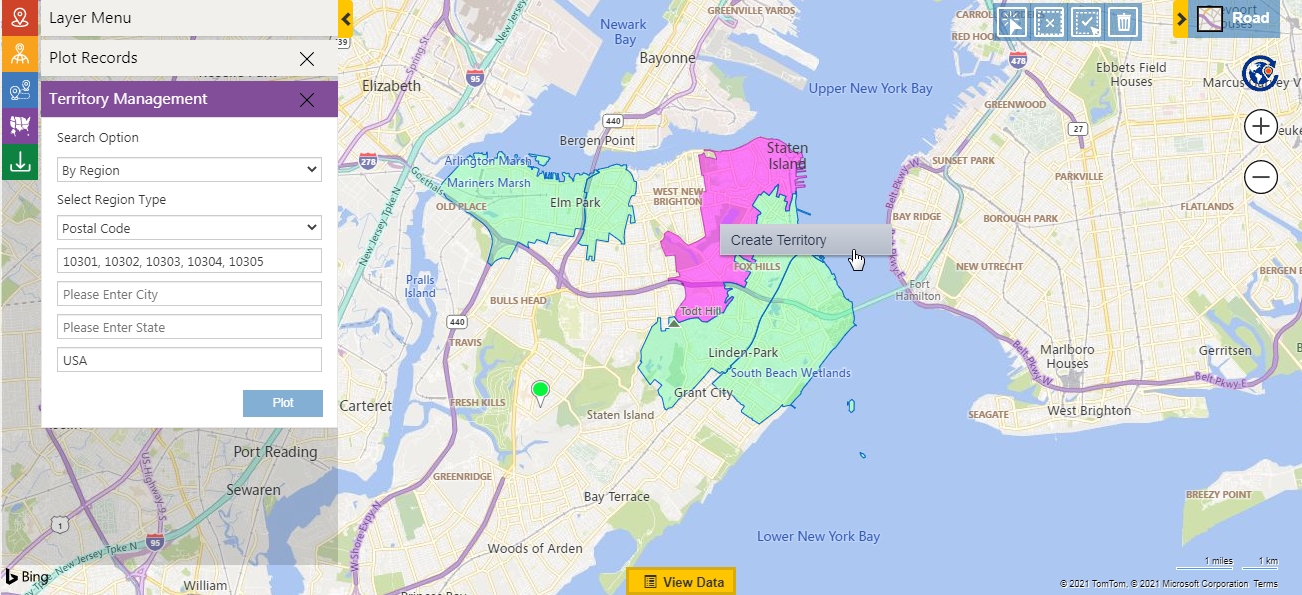
These features enable administrators and managers to create territory structures that are both logical and aligned with business realities.
What is Maplytics’ Territory Management?
Maplytics enables advanced territory planning directly within Microsoft Dynamics 365 CRM through its built-in Territory Management module. With an interactive map-based interface and smart capabilities, it allows you to:
- Create territories manually or automatically using different inputs.
- Upload external geography files, such as shape (.shp, .kml, .geojson) or Excel, to define regions.
- Overlay ESRI’s ArcGIS Feature Layers as well for territory marking
- Balance territories by record count or alignment criteria like revenue.
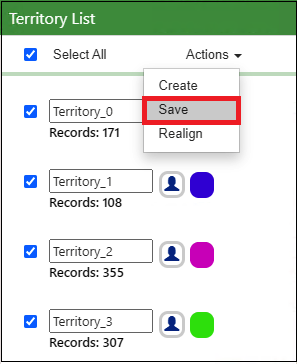
- Save drafts and rework them before committing them live.
- Visualize hierarchical territories, including parent-child relationships.
- Plot existing territories and their assigned records on the map.
- Use a territory alignment tool to select, align, adjust, or delete region shapes.
These capabilities make territory planning in Maplytics both powerful and highly flexible.
FAQs for Territory Planning with Maplytics
Does Maplytics allow automatic territory creation?
Yes. Maplytics can automatically generate territories using Excel files, ESRI Feature Layers, or shape files. You can define parameters such as the number of territories and balancing factors like revenue, and the system creates well-distributed territories for you.
What are Draft Territories in Maplytics?
Draft Territories allow you to save your progress while building territories. This makes it easy to pause, review, and fine-tune your territory setup before finalizing it in Dynamics 365.
Is it possible to view parent and child territories together?
Yes. Maplytics supports hierarchical territory structures, enabling you to display parent and child territories on the map and clearly understand their relationships.
How can a territory manager be assigned?
While creating a territory, either manually or through automation, you can designate a manager. That user becomes responsible for managing and monitoring the assigned area.
How do I map existing territories along with CRM data?
Maplytics offers a “By Territory” plotting option that lets you visualize records linked to specific territories on the map. You can choose to display data for your own territory or your team’s territories on the map.
What does the Alignment Tool do?
The Alignment Tool allows users to visually modify territories by selecting, adjusting, deleting, or reorganizing shapes directly on the map for better accuracy.
Is a specific Dynamics 365 role required to manage territories?
Yes. Users must be assigned the Maplytics Territory Manager role to create, edit, or manage territories within Maplytics.
Can territory details like names and colors be customized?
Absolutely. You can define territory names, colors, and other attributes during creation. Even automatically generated territories can be renamed and visually customized before being saved.
Actionable Territory Planning Best Practices for 2026
1. Start with Clear Objectives
Begin your planning with a clear sense of purpose.
Are you trying to-
Maximize sales outcomes?
Reduce travel time and costs?
Improve balance in workload among reps?
Enhance customer coverage?
Define the criteria that matter most, like revenue, customer count, and growth potential, and use them to guide how territories are sized and shaped.
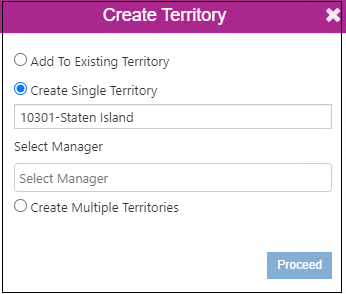
2. Automate Territory Creation When Possible
Manual territory creation takes time and can introduce inconsistencies. With advanced tools, you can upload existing territory files, set alignment criteria like revenue or account volume, and automatically generate balanced territories. This significantly accelerates planning and ensures consistency across regions.
3. Use Drafts to Iterate and Improve
Drafting territories allows planners to experiment, gather feedback, and refine without affecting live operations. Save your draft models to revisit them, compare scenarios, and collaborate with stakeholders before making them official.
4. Visualize Territory Hierarchies
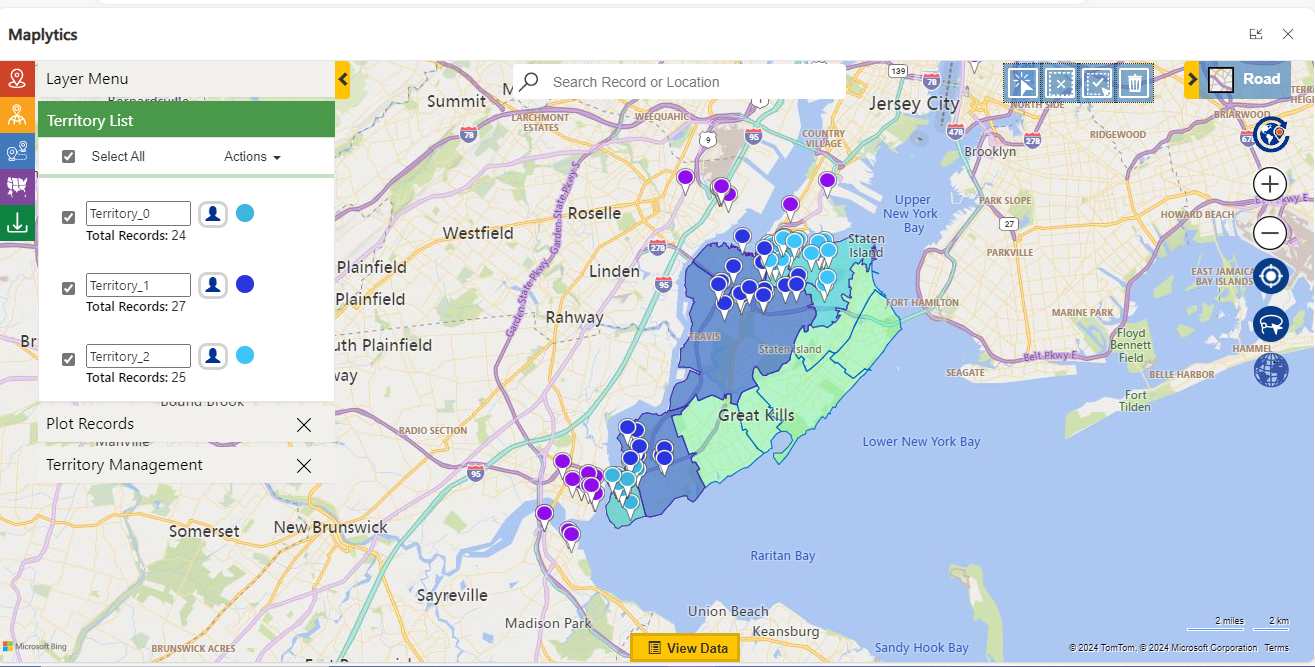
Larger organizations often use multi-level territory structures. Tools that support hierarchical plotting let you see parent and child territories together, providing clear insight into how layered regions relate and ensuring no gaps exist in coverage.
5. Leverage Precise Alignment Tools
A graphical alignment tool enables you to draw shapes, select multiple segments, and adjust regions with precision. This enhances control and flexibility when defining territories, especially for complex landscapes or irregular boundaries.
6. Define Ownership and Accountability
Assigning a manager or lead to each territory creates clear ownership and accountability. This makes it easier to measure performance and ensures leaders understand responsibility for outcomes within their regions.
7. Monitor and Adjust Over Time
Territory planning isn’t static. Plot existing territories and their assigned records to evaluate performance, identify imbalances, and respond to shifts in customer distribution or market conditions. Rebalancing territories periodically ensures continued effectiveness and agility.
The Impact of Balanced Territory Planning
Adopting these practices delivers tangible outcomes such as-
- Higher sales productivity- Reps spend time in zones with the best potential and less time on low-value travel.
- Lower operational costs- Reduced overlap and smarter workload planning cut fuel and admin costs.
- Clear accountability- Territory ownership helps track performance and supports coaching and management.
- Better decision-making- Visual, data-enriched territory maps drive smarter strategic decisions based on real insights.
- Scalability and adaptability- Whether expanding to new regions or refining existing areas, advanced territory tools make transitions smoother.
Emerging Trends in Territory Planning
Looking beyond 2026, several trends will shape how territory planning evolves:
- AI-enhanced optimization that uses machine learning to predict demand and rebalance territories dynamically
- Real-time data integration that adjusts coverage based on CRM activity, new leads, or changes in customer behavior
- Blended territory strategies that support hybrid or remote sales models
- Sustainability considerations, such as carbon emissions and travel footprint in territory design
- Focus on work-life balance as optimized territories reduce unnecessary travel and improve scheduling flexibility
A forward-looking territory strategy can position your teams for stronger performance, happier reps, and more adaptable operations in the years ahead. Maplytics simplifies territory management by visually defining, balancing, and assigning sales territories on interactive maps using real-time CRM data. It helps teams reduce manual effort, improve coverage, and drive smarter, location-based decisions.
Organizations interested in adopting Maplytics, 15-day free trials, or personalized demos are encouraged to contact Maplytics’ sales team at [email protected]
For more information, visit our Website or Microsoft Marketplace. One can hop onto the detailed Blogs, Client Testimonials, Success Stories, Industry Applications, and Video Library for a quick query resolution. Technical docs for the working of Maplytics are also available for reference.