Standalone Rental Software or an ERP-Connected Platform? 5 Questions for Dynamics Buyers
Equipment rental companies often begin their software search by comparing features. They look for reservations, contracts, equipment availability, maintenance, mobile access and recurring billing.
Those capabilities matter, but they do not answer the most important architectural question:
Should rental management operate as a standalone application connected to accounting, or should it function within a broader ERP environment?
Both approaches can work. The right choice depends on how closely rental activity must connect with purchasing, inventory, service and financial reporting.
Where Standalone Rental Software Fits
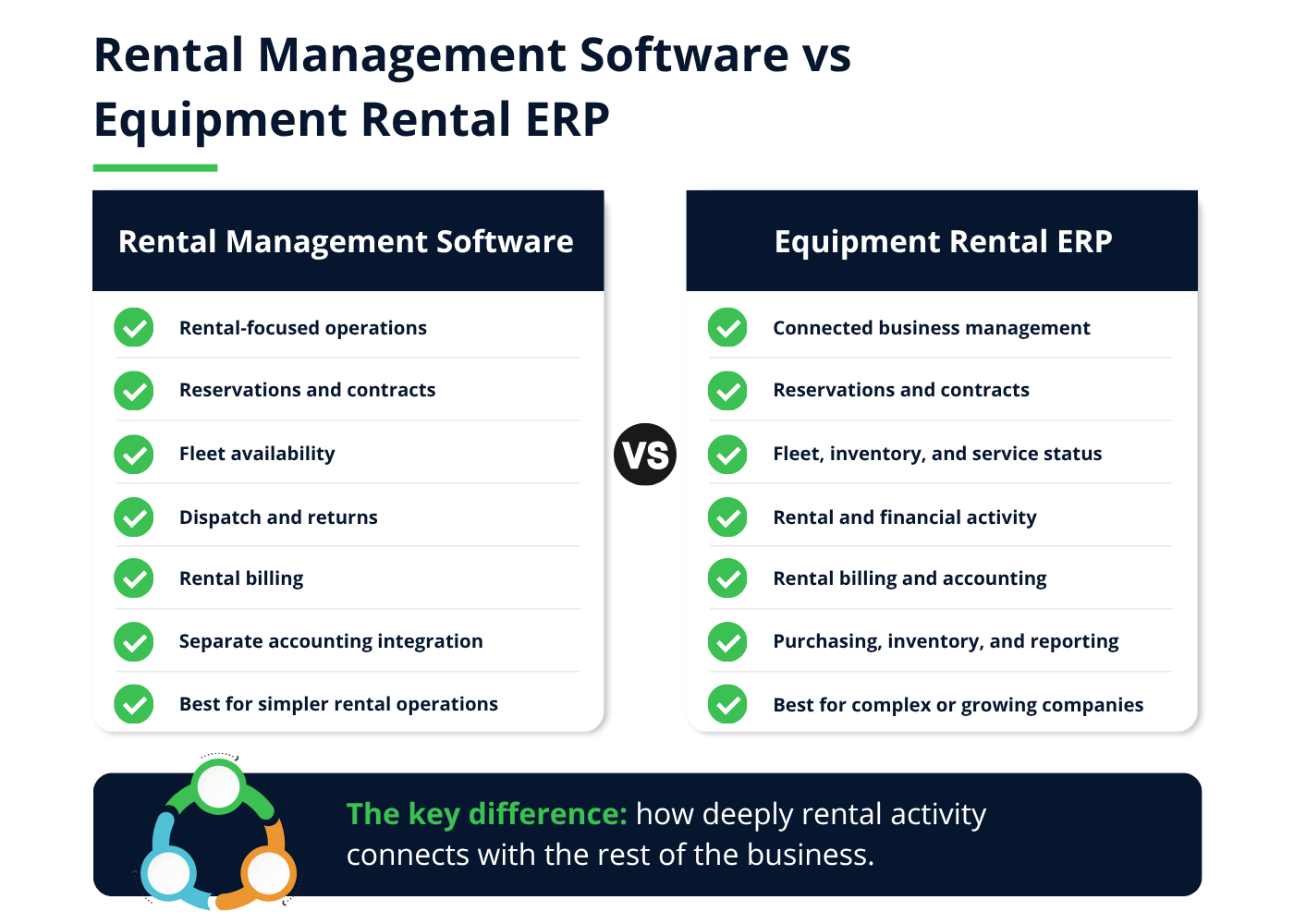
Standalone rental management software concentrates on the operational rental lifecycle. It may manage reservations, equipment status, contracts, dispatch, returns and invoicing while exchanging selected information with an accounting platform.
This model can suit companies with relatively simple rental processes and an accounting system they intend to keep. It may also provide a practical step forward for businesses replacing spreadsheets or basic booking tools.
The quality of the accounting integration becomes critical. Buyers should confirm:
- Which customer and equipment records are synchronized
- Whether invoices transfer in summary or detail
- How payments and credits are handled
- Which system owns pricing information
- How integration errors are identified
- Whether costs can be traced back to individual assets or contracts
An integration may reduce duplicate entry without providing the financial detail management needs.
When Rental Operations Become an ERP Problem
Rental activity becomes an ERP issue when changes to a contract consistently affect several departments.
Consider an equipment breakdown during an active rental. The machine becomes unavailable, a replacement may need to be delivered, a technician records labour, parts leave inventory and the customer may receive a credit. Each event also changes the profitability of the asset and contract.
If rental, service, inventory and accounting operate separately, employees must preserve those relationships through integrations or manual processes. The company may know that the customer received a replacement without understanding the total cost of the event.
An ERP-connected approach keeps specialized rental workflows connected with the broader business. Companies beginning this evaluation can consult a detailed guide to construction equipment rental software to review the complete rental lifecycle, essential features and vendor demonstration scenarios.
The following five questions can help Dynamics buyers decide which architecture better fits their requirements.
1. How Much Financial Detail Must Follow the Rental?
A standalone rental system may send a completed invoice to accounting. That can be sufficient when finance only needs the customer, amount, tax and payment status.
More complex companies may need to understand profitability by:
- Individual asset
- Equipment category
- Contract
- Customer
- Branch
- Project or jobsite
That analysis requires revenue to remain connected with maintenance, parts, labour, transportation and third-party rental costs.
During the evaluation, ask the vendor to trace a rental from the original contract to the general ledger. Then ask how an employee would investigate an unexpected margin or disputed charge.
Companies that have already determined they need a connected platform can also compare five rental software ERP systems based on their capabilities, ideal fit and potential limitations.
2. Does Equipment Availability Depend on Service and Inventory?
Availability is not simply a question of whether a machine has returned.
Equipment may be reserved, awaiting inspection, undergoing maintenance or missing an attachment required for its next rental. A replacement part may also be on order, affecting when the asset can return to service.
When rental and maintenance operate separately, the integration must update availability quickly enough to prevent an unavailable machine from being promised to another customer.
An ERP-connected platform can preserve the relationship between the equipment, service requirement, parts demand, purchase order and future reservation. Buyers should still test how the solution is configured because sharing an ERP foundation does not automatically create an effective workflow.
Rental companies that dispatch technicians for onsite inspections and repairs should also evaluate how mobile field service connects technician activity with equipment records, parts, billing and the back office.
3. How Complex Are Purchasing and Re-Rentals?
Rental companies sometimes source third-party equipment when their fleet cannot meet customer demand. This creates both a customer rental and a vendor purchasing obligation.
The system should help employees connect the re-rented equipment with:
- The customer contract
- Supplier terms
- Purchase order
- Delivery requirements
- Rental period
- Vendor invoice
- Customer charges
- Expected margin
If those records are maintained separately, an extension or early return may reach the customer contract without updating the supplier commitment.
Companies with frequent re-rentals should ask vendors to demonstrate the complete process. The test should include creating the purchase order, changing the rental period and tracing the resulting vendor and customer charges.
4. How Many Locations or Companies Share the Fleet?
Multi-location operations create additional requirements around transfers, ownership and reporting.
A machine may move from one branch to another or directly between customer jobsites. Employees need to know its physical location, rental status and responsible business unit. Finance may also need to account for intercompany activity or allocate revenue and costs between locations.
Standalone software can support multi-location rentals, but buyers must confirm how location data, accounting dimensions and intercompany transactions reach the ERP.
The question is not merely whether the software supports multiple branches. It is whether an operational equipment movement produces the correct inventory and financial results.
Ask the vendor to demonstrate a direct transfer between two customer jobsites involving different contracts or responsible branches. That scenario can reveal gaps that a standard warehouse transfer will not.
5. Who Owns the Complete Transaction History?
When several systems contribute to a rental, employees need to know where to investigate a problem.
If a customer disputes an invoice, can the employee view the original rate, contract changes, delivery confirmation, return inspection and final accounting entry? Or must the information be assembled from separate applications?
A clear system of record is important even when the company selects standalone rental software. Integration design should define:
- Which platform creates each record
- Which platform can update it
- How quickly changes synchronize
- How failed transactions are corrected
- Where users access the audit history
- Which system produces operational and financial reports
An ERP-connected rental application can reduce some of this ambiguity by using shared customer, item and financial records. Companies must still establish permissions, approvals and data ownership during implementation.
A Practical Architecture Decision Matrix
The following framework can help buyers identify which model deserves closer evaluation.
| Requirement | Standalone Rental Software May Fit | ERP-Connected Rental Platform May Fit |
|---|---|---|
| Rental operations | Relatively straightforward | Complex contracts and frequent exceptions |
| Accounting | Existing platform remains effective | Rental activity must connect deeply with financials |
| Maintenance | Limited or separately managed | Parts, labour and purchasing affect availability |
| Locations | One or a small number of branches | Shared fleets, transfers or multiple companies |
| Re-rentals | Infrequent | Regular purchasing and third-party equipment |
| Reporting | Revenue and basic utilization | Asset, contract, customer and branch profitability |
| Integrations | Few and clearly defined | Several operational systems share the same data |
| Growth | Current processes are stable | New locations, services or entities are expected |
This table should guide discovery, not make the final decision. A well-designed integration can support complex processes, while a poorly configured ERP can still leave employees dependent on workarounds.
The Role of Dynamics 365 Business Central
Microsoft Dynamics 365 Business Central provides financial management, purchasing, inventory, warehouse, project and reporting capabilities for small and mid-sized organizations.
Companies evaluating the platform should first understand what Business Central Essentials includes and where specialized applications may be required.
Business Central is not rental management software by itself. Rental companies typically extend it with an industry application for processes such as:
- Equipment reservations
- Time-based rental rates
- Recurring and prorated billing
- Equipment exchanges
- Partial returns
- Sub-rentals
- Rental availability planning
One example is RUX Rentals for Business Central, which connects rental contracts, equipment availability, billing, maintenance and re-rentals with Business Central’s inventory, purchasing, accounting and reporting capabilities.
The suitability of any application still depends on the company’s equipment, rates, locations, service processes and reporting requirements. Buyers should ask vendors to demonstrate the complete transaction rather than individual features.
What to Request Before Selecting an Architecture
Before choosing a product, request three deliverables from each potential vendor or implementation partner:
1. A Data Ownership Map
The map should show where customer, equipment, pricing, contract, service and financial records are created and maintained.
2. An Integration Diagram
Document each system connection, the information transferred, synchronization frequency and responsibility for resolving errors.
3. A Scenario-Based Demonstration
Ask each vendor to complete the same rental exceptions from the original contract through final accounting. Useful scenarios include:
- Extending a rental into another reservation
- Returning one part of an equipment package
- Exchanging a machine during an active rental
- Transferring equipment between jobsites
- Recording a breakdown and replacement
- Correcting an invoice after return
These deliverables make it easier to compare architectures based on operational consequences rather than product terminology.
Choose the Architecture Before the Product
Feature comparisons become more useful after the company understands how rental activity should connect with the rest of the business.
Standalone software may be the right choice when rental workflows are relatively simple and the existing accounting platform remains effective. An ERP-connected platform becomes more valuable when service, inventory, purchasing and financial reporting depend heavily on rental events.
Before selecting a system, map the difficult scenarios. Test breakdowns, extensions, exchanges, partial returns, re-rentals and jobsite transfers. Then follow each event through availability, service, billing and accounting.
The best architecture is the one that preserves those relationships without forcing employees to reconstruct the rental every time something changes.